💬 Deep Dive
In March of this year, I wanted to write an article to share my latest reading and writing tool flow. At that time, I had just experienced YouMind in depth, and it almost completely covered the scenario where I used Cubox to read later. In addition, Cubox read in the browser, and there were many details, so I quickly decided to use YouMind instead of Cubox.
However, in early June, after seeing an article introducing the Notion clipping plug-in on SSPAI, I came up with the idea of skipping the read-it-later app and directly using Notion to store all my Read Later content.
So starting in June, I officially gave up the read-it-later app and instead built a new reading and writing workflow using Follow+Notion+ChatGPT+Dia.
The following is my specific practice, which includes the four links of information collection, digestion, creation and review.
1. Information collection
I use Follow to receive all RSS and Newsletters. In Follow, some Newsletters and public accounts have been converted into RSS by other users, and you can search and subscribe directly. If the Newsletter you want to read cannot find a ready-made RSS, you can use the two tools RSS Anything and Kill the Newsletter! to deal with it.
I’ve shared before that it’s stressful to put most of the information in one place. However, Follow provides 3 “Mark as Read” methods. Turning on scroll marks and hover marks can greatly reduce the pressure of “must click to read”.

Most importantly, a change in mindset to think of Follow as a first-level information filter: no need to read every piece of information. Only when you see a title that interests you will you click on it. After you click on it, after reading Follow’s AI summary, and if you still want to continue reading, it will be cut into Notion and enter my second-level reading pool.
2. Information digestion
I save most of my clippings through the Save to Notion plugin because I mainly read them in a browser on my computer. I usually forward the remaining content directly to the Notion App on my mobile phone.
I configured 3 clipping databases in Notion:
- “My Link”: Inspiring and growth-oriented content, focusing on self-help or psychological fields.
- “My Todo”: Information that will be acted upon is mostly related to the growth and operation of the product.
- “My Videos”: When you see a good cover, title or topic, you can cut it and save it at any time for reference in subsequent video creation.
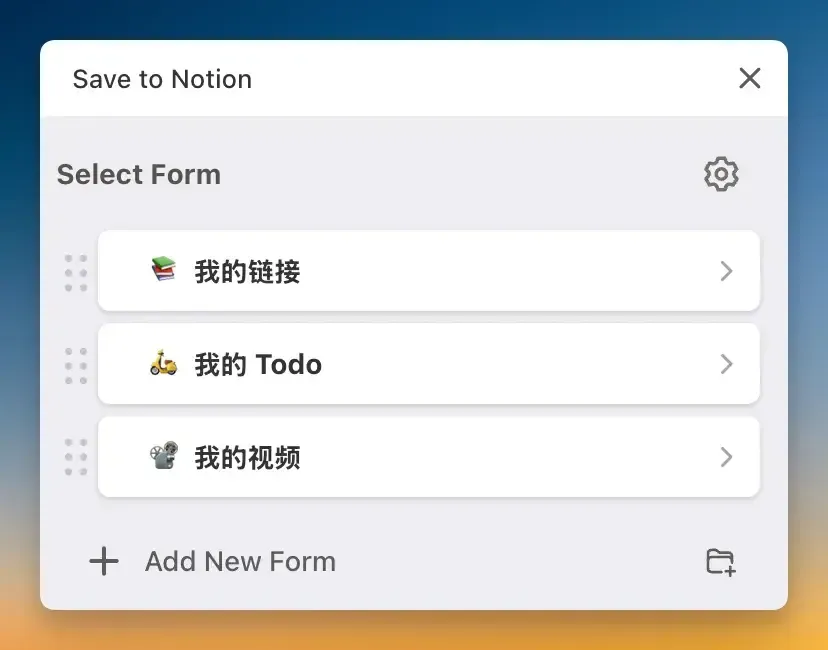
In the long run, what helps me grow the most is the database “My Links”. I will read it more carefully and take notes.
I followed the PARA framework for classification and labeling, divided it into four major categories of single-select labels according to “Field”, “Resources”, “Projects”, and “Archives”, and then configured multiple-select secondary labels such as “Psychology”, “Products”, and “Design”.
When reading and digesting these contents, I used the most primitive way, reading them word for word, using the Notion comment function to highlight and write down my thoughts.
After that, use Dia or ChatGPT to read the page, enter my “TL;DR and action suggestions” or “Mr. Feynman” Prompt to generate a summary, and put it at the beginning of the article for easy review later using the feed view.
Below are my two prompts.
Please help me summarize the key points of this article in the following format:
TL;DR
Summarize the core content of the article and extract the most important information points in the article. Each item should be no more than two sentences. Don’t miss the key points. List them in Markdown digital lists.
Recommendations for Action
Based on the content of the article, give some practical suggestions that can be implemented to improve your thinking or actions. Don’t miss the key points. Use Markdown number lists to list them.
Please keep it concise and practical, suitable for quick understanding and subsequent use. Spaces are required between Chinese and English.
Please act as my Feynman study assistant and help me complete the following 4 steps based on the content of the article I am currently reading:
Simple explanation
In the simplest, clearest possible language (like explaining it to a 12-year-old), summarize the core content of the article in one paragraph.
analogy/metaphor
Please try to use an example or analogy from life to help me understand the core idea of this article more intuitively.
Discover blind spots
Point out which concepts, reasoning or arguments in the article may be difficult to understand, common misunderstandings, or easily misunderstood.
Knowledge Reversal
Please summarize it in one sentence: “If what this article said is wrong, then I might have mistakenly thought…” to help me establish a deeper cognitive impression.
The style is pragmatic and clear. Don’t pretend that I have understood it. Please explain it with the attitude of “if you don’t understand it, you can’t fool it”. The layout is neat and tidy, with spaces between Chinese and English.
3. Content creation
All my creations are done in Notion. The advantage of using Notion is that I can use the ChatGPT client to directly read the page to polish and modify it, which is very smooth.
The AI tool that helps me the most in my creation is undoubtedly ChatGPT. Since this year, my newsletter has been co-created by me and ChatGPT. The reason I insist on using ChatGPT is that it has long-term memory and understands my preferred expression style (this may also be a kind of cocoon🤣). Of course, sometimes I also use Dia’s side Chat to assist writing, and the ratio of using ChatGPT is about 8:2.
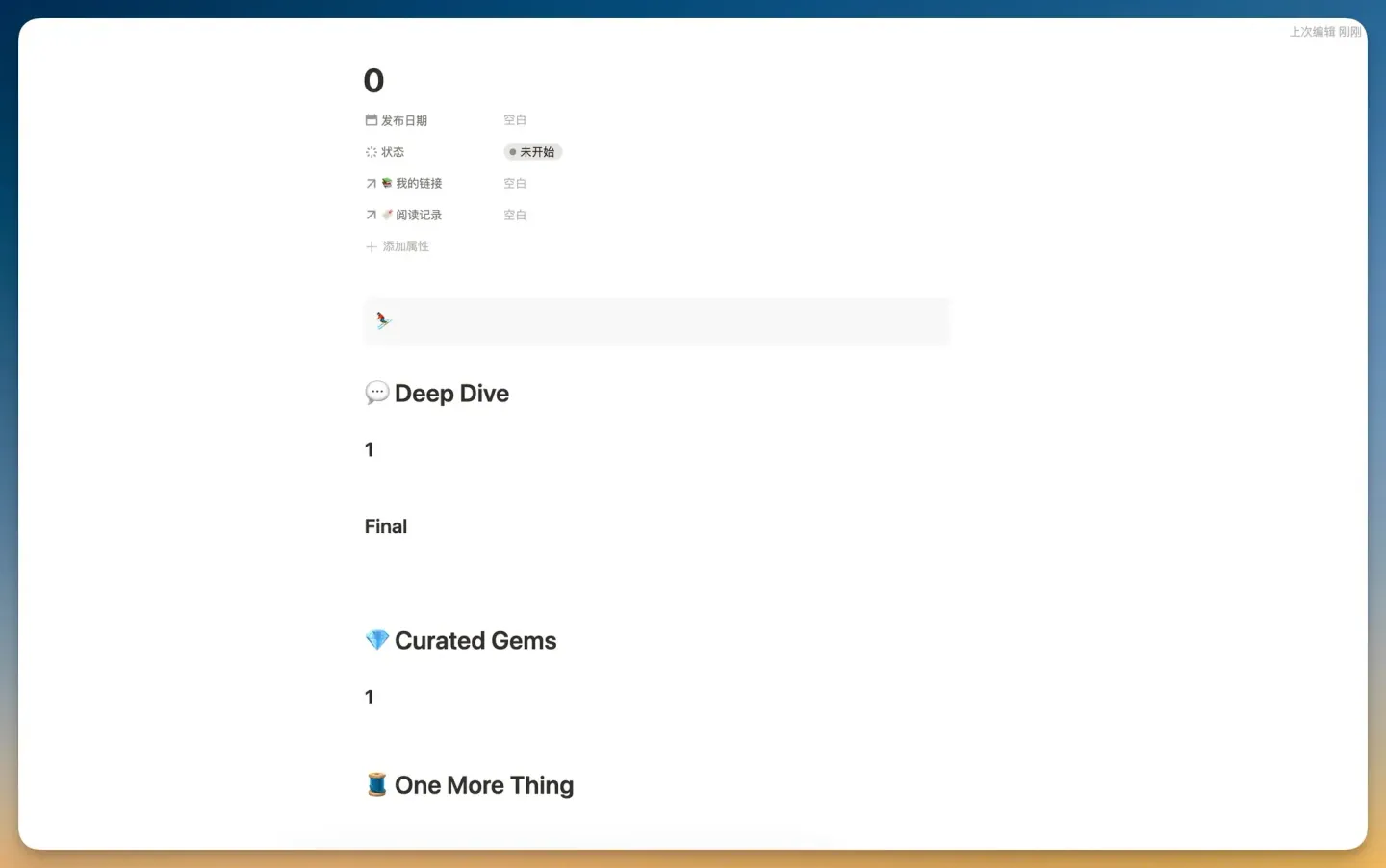
Within Notion, if a piece of clipped content is worthy of sharing in Newsletter, I will directly use the association attribute to associate it, so there is no need to go to the read-it-later app to find the material when writing.
In the Newsletter database, I configured a template that is generated with one click every time it is created. This function is very convenient for creators.
4. Note review
Frankly speaking, I reviewed my notes much less this year than in the previous two years, but I still borrowed a formula shared by scribblers in Notion.
mod(
mod(timestamp(prop("创建时间")) * 100011979 + 500067713, 900066731)
*
mod(round(timestamp(now()) / 600) * 600 * 800067089 + 800068411, 800053967)
900067309,
900066571
)
This is a pseudo-random number formula generated based on the creation time of the database entry and the current time. It automatically changes every fixed time (such as 10 minutes) and is used to refresh the content periodically. 600 is the period unit (unit: second). Just replace 600 with the desired value to control the refresh frequency.
I use this formula in the “My Links” database. In the Feed view, I sort by the value of the formula, so that every time I open it, I can see different sorting of content, creating a random walk effect.
Because in the information digestion process, I will put the two Propmt results of the article “TL;DR” or “Mr. Feynman” at the beginning, mark them with Callout, and browse and review them in the Feed view. It is very beautiful and has an excellent visual experience.
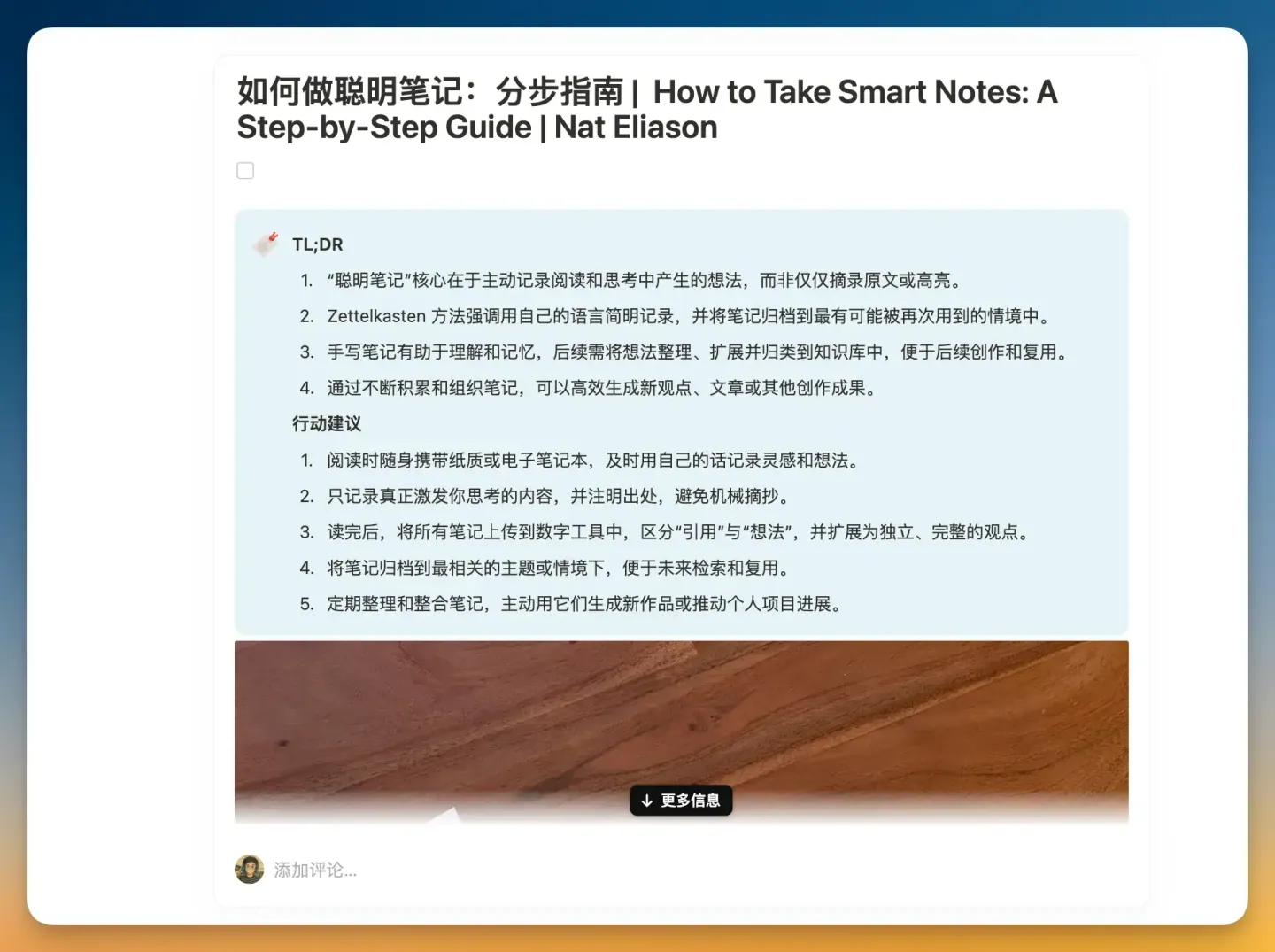
At present, I prefer to review the entire article. Click inside the article and read the comments and notes on the right. If you have any questions, you can directly look up the context in the original article.
If you only like to cut and review highlighted sentences, I recommend you watch Jeff Su’s video to do it.
Final
The above is the latest reading and writing workflow I created with Notion as the core and combined with Follows, ChatGPT and Dia. Perhaps in the AI era, the biggest migration cost for users is long-term memory.
In fact, the product YouMind has evolved very well in the past six months. I also made a video to share this product.
The 0.1 version of YouMind, like Cubox, clips articles, podcasts, and videos to be read later. The difference lies in the ability to transcribe text, skip playing, and read directly for podcasts and videos. I now use YouMind frequently to transcribe podcasts that I don’t want to listen to but might be useful.
Before the Dia browser, version 0.2 of YouMind launched the AI Studio on the right, which allows you to customize prompts and use AI Chat to understand any content. After using Dia, I found that the two products are very similar. They both have AI Chat on the right, custom Prompts, and can read information from multiple pages.
The 0.3 version of YouMind has launched AI Board, which uses Agent to search for information, create groups, generate documents, pictures, and audio around topics, and can complete articles just like Cursor automatically completes code.
If you are interested, you can go to YouMind official website to try it. New users have a free 7-day trial period.
💎 Curated Gems
1. The strategy behind Dia design
The Browser Company’s design for Dia is no longer as radical as the first product.
The strategy behind its design is to give priority to retaining the familiar operation methods to reduce users’ learning costs. New functions will only be introduced when they can bring significant value. Make the product feel both familiar and improved.
2. Read like a thief
He Caitou summarizes 5 reading routes. It is recommended to read like a thief, imitate and learn, and use the building materials to build your own house from the book.
Critic route means that all reading is done to achieve your own taste, so that you can draw a conclusion about a book, which is mostly negative;
Thief Route is to absorb the parts that can nourish yourself from all books. Make up your mind to build a house from the beginning. If you don’t have enough building materials, you have to go out and steal them back to build your own house;
Peacock Route is to take photos and show them, recite summaries and book reviews, so that you can pretend to be a person who loves reading in front of others, but in fact, you don’t like to read, and you can’t read at all, but you think you are very smart;
The Chipmunk Route is all about quantity. I think that after reading one, I will know a point. If you read 100 books, you will know 100 points. Chipmunks treat their brains as a warehouse and reading as buying goods, but there is no way out, and once they are put in the warehouse, they never touch them again, and continue to pounce on the next book, and the next one;
Addict Route is addicted to the act of reading itself. They may not read a lot, but they always read because they get some kind of physical and mental pleasure, and even self-identity, from the act of reading. If their reading is forcibly interrupted, patients may experience extremely strong withdrawal reactions, and having to face life head-on will increase the intensity of the reaction.
I think it’s not bad to be a reading addict. It’s for pleasure and experience. It’s better than a critic who criticizes others every day, a peacock who shows off, and a chipmunk who hoards.
But I reflected on my own tendency to be a peacock and a chipmunk. It wasn’t until the second half of 2023 that I started to calm down and want to accumulate and study hard.
3. A single belief led by science
We are accustomed to using “scientific evidence” to judge truth and falsehood. We believe that the world can be understood, measured, and transformed. We believe that the world is infinitely progressive.
Behind these behaviors and beliefs is scientific ideology at work. After the industrial revolution, science has become the “underlying operating system” we use to understand the world, explain phenomena, and judge right from wrong.
Meritism is a meaning system caused by the concept of infinite progress under scientific ideology. When it becomes the only value standard, it will either involute or lie flat.
To build a truly diverse society with diverse values, we should first reflect on the underlying concepts underlying our daily behaviors.
🧵 One More Thing
Since June, my video creation efficiency has improved a lot, and I have published 3 videos in a row.
The happiest thing about making videos is that users actually benefit from my videos. Notion Tutorial Video released in March, I saw several users in the comment area who got started with Notion because of my video.
I also like the two videos I made recently, one is Dia and the other is YouMind.
I’ve already thought about the topic for the next issue: How to save 600 Karma a month on Reddit? If you are interested, you can follow me on Bilibili, Little Red Book and Youtube.