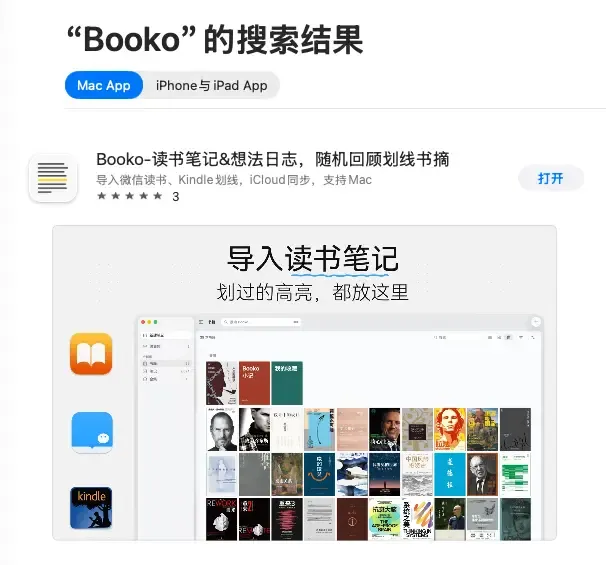
WeRead Skill is to WeRead what HealthKit is to Apple’s health ecosystem.
HealthKit transfers steps, heart rate, sleep and other data recorded by devices such as Apple Watch to authorized apps for use. The WeRead Skill leaves the bookshelf, reading time, highlights, and ideas to Agent or other products.
After Skill was launched on WeRead, I used it to create Booko Board, Booko and MeDay. I also connected it to Claude and Codex to read, organize and analyze my reading records.
This article shares 4 ways to use the WeRead Skill.
1. Make a reading dashboard
After the internal testing of WeRead Skill, I first used it to make Booko Board, a private reading board.
After entering the WeRead key, Booko Board will connect your personal bookshelf, reading statistics, highlights and ideas. The page includes a dashboard, cover wall, and note wall. You can view the overall reading data, or directly browse the books you have read and the notes you left before. The key is only saved in the current session and is cleared when the page is closed.
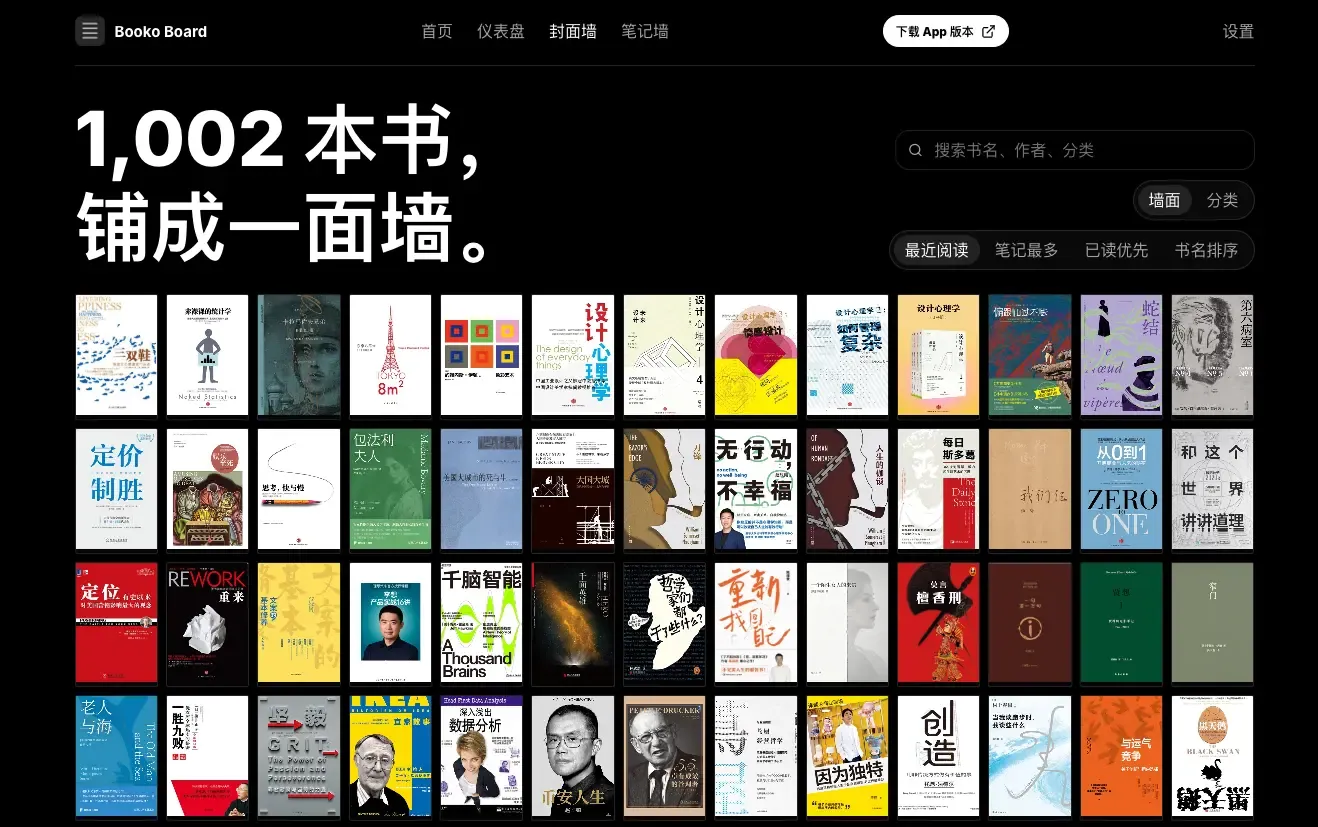
Previously, these data could only be viewed on different pages of WeRead. After connecting to Skills, you can reorganize them into what you want.
For developers, reading and presenting data is the first step, and they can continue to be made into an independent product later.
2. Use Booko and MeDay to review notes
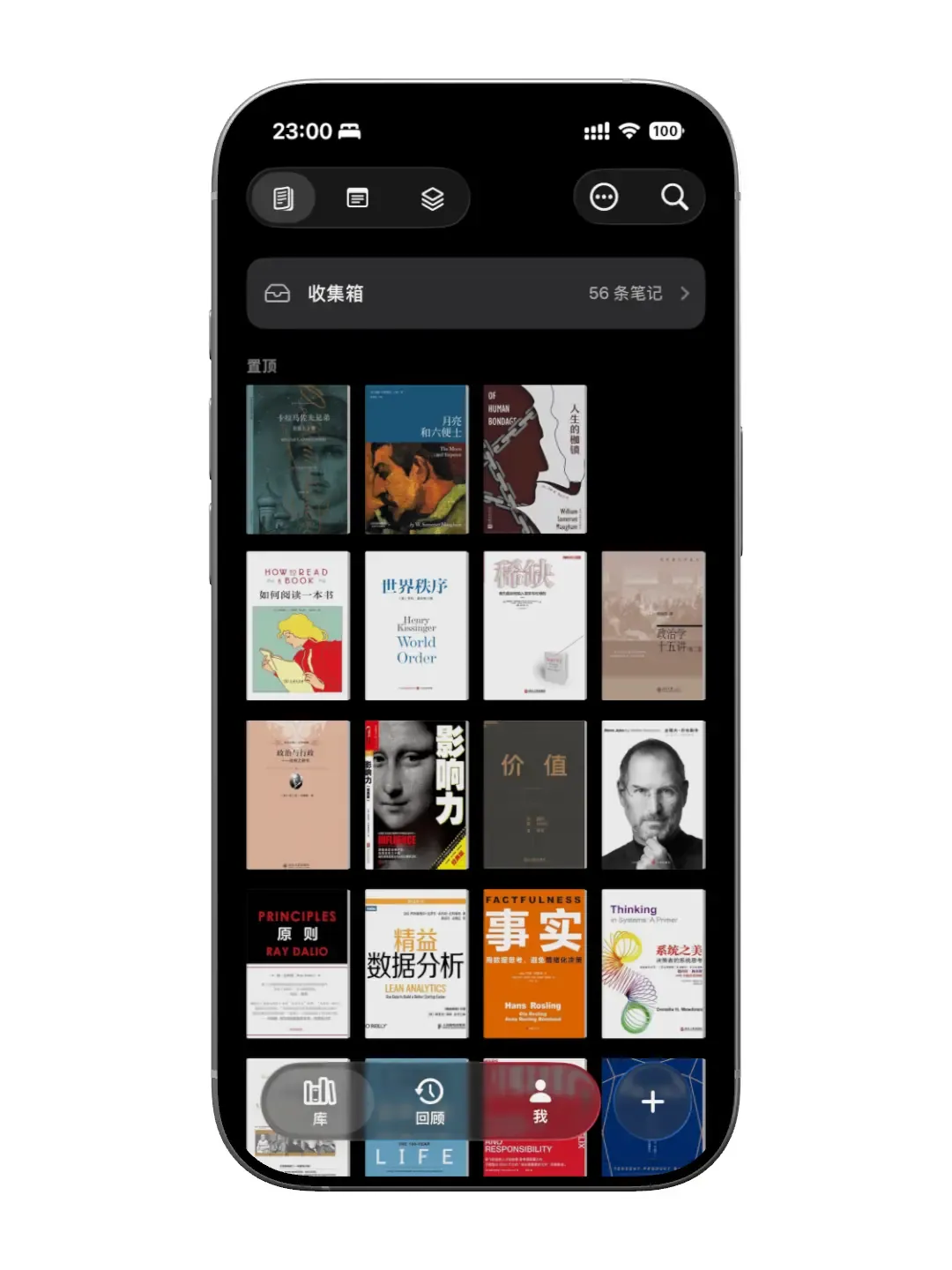
Booko was launched in early May. What it does is simple: gather the highlights scattered in different reading platforms for easy review.
In mid-May, WeRead Skill was launched. Booko is originally used to collect and review reading notes, and most of my reading is done through WeRead. Previously, to save highlights in Booko, you had to manually copy them in WeRead and then paste them back into the app.
Skill provides a data interface for direct pulling, so naturally, I connected it to Booko. After accessing the app, users only need to enter the WeRead API key in the app to obtain books, highlights and ideas in batches. These highlights and thoughts will turn into cards, which can be flipped through randomly, or you can jump back to the specific location in WeRead.
Come September, I started doing MeDay. It comes from the feeling that the movie “Perfect Days” gave me: a day is made up of many ordinary and ordinary things, and reading is an important part of it.
In MeDay, the WeRead Skill is used to record the times when highlights and ideas occurred. It will put the books and reading time you read every day into the day’s timeline and calendar, and appear together with photos, diaries, music, exercise, and sleep. When you open a certain day in the future, you can see where you went that day, what you wrote, what your mood and physical state were, and you can also see what book you were reading at that time.
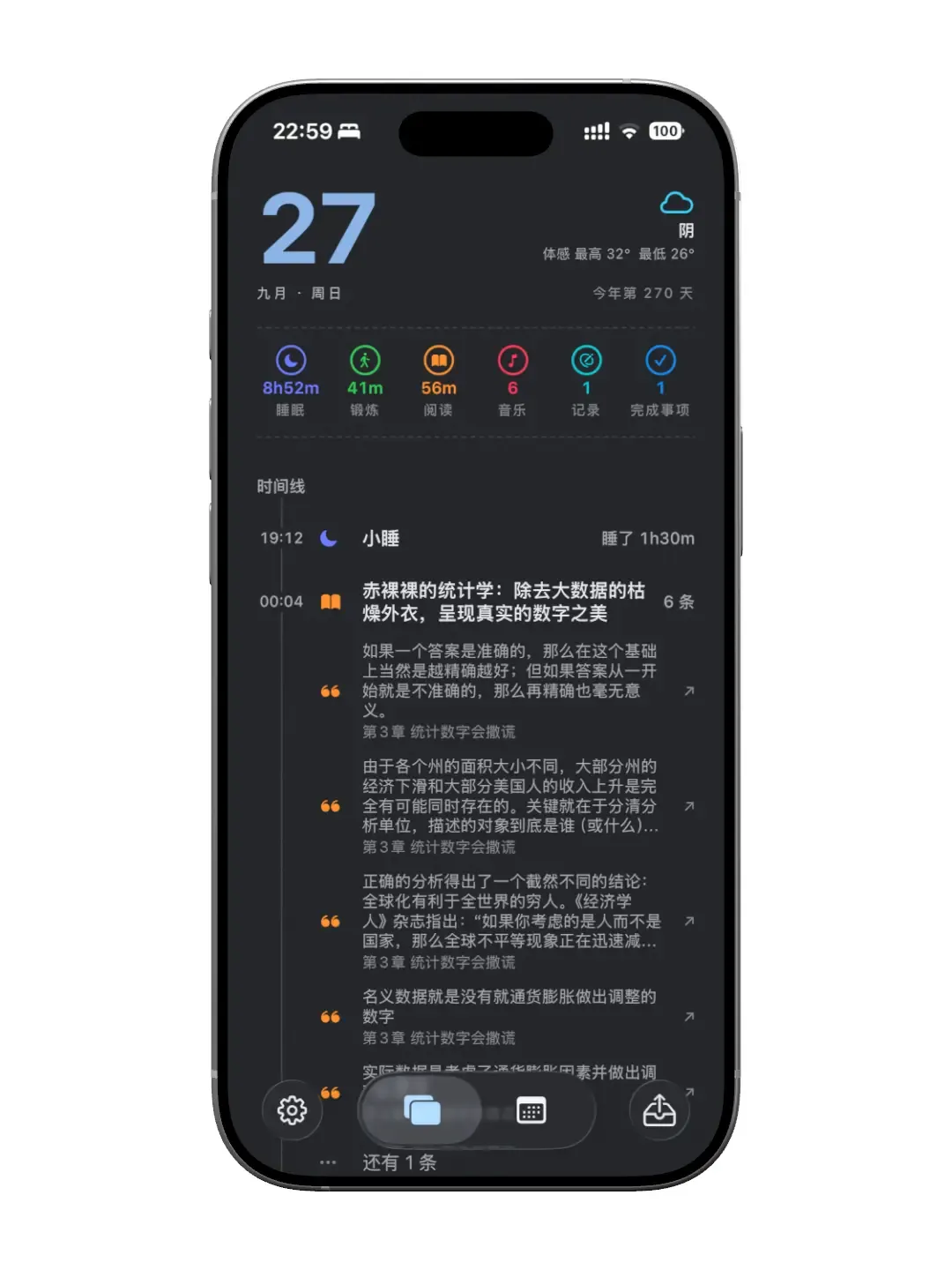
Booko leaves the sentences read, and MeDay leaves the day the reading took place. They use the same WeRead data to record two different things.
3. Find the theme from the highlights
Going a step further, I would ask the Agent to find recurring themes from the highlights.
For example, on August 11, I finished reading “The Moon and Sixpence” and started reading “Of Human Bondage” that day. The former book left 20 highlights and 2 thoughts, the latter book left 95 highlights and 6 thoughts.
After reading “Of Human Bondage”, I first asked Claude to organize and underline the text by theme and divide it into 10 categories such as “The Meaning of Life” and “Money and Poverty”. Keep the original text and chapter location of each line, and finally save it as a Markdown note.
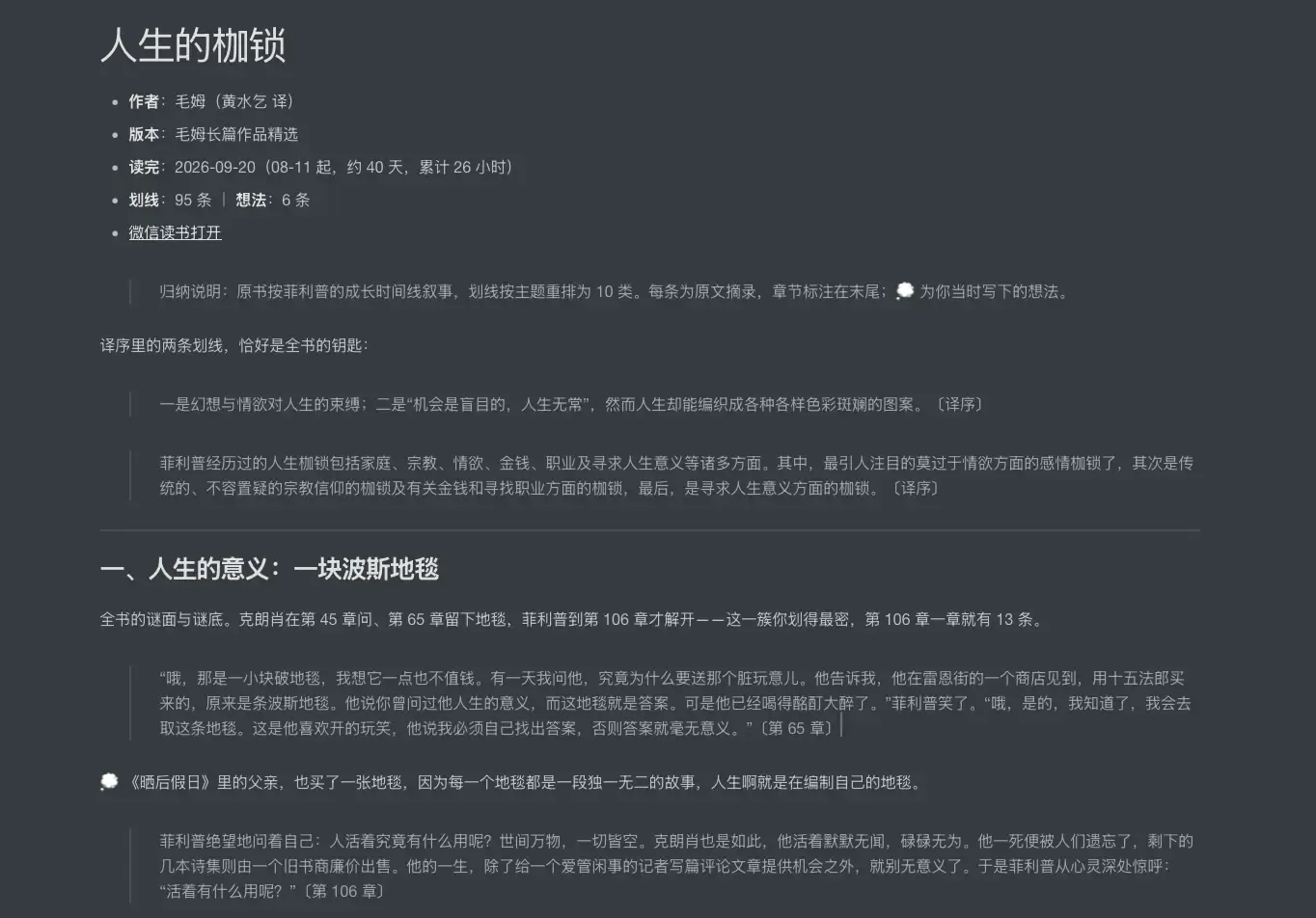
Next, I compared it to two books. I found that the content I paid attention to in the two books fell exactly on the opposite ends of ideal and reality.
In my opinion, “The Moon and Sixpence” is closer to romanticism. In order to create, Strickland left his family behind and no longer cared about morality and other people’s opinions. “Of Human Bondage” is more realistic. After Philip got rid of the shackles of faith, lust, and “life must be meaningful,” he gave up traveling, decided to get married, and prepared to take over a rural clinic and live an orderly and ordinary life.
My highlights just illustrates this difference. Almost all of the 20 lines in “The Moon and Sixpence” are about creation, beauty and freedom, and none of them are about money. In “Of Human Bondage”, money has become a very important category.
Judging from these records, I would be attracted to Strickland’s freedom, but the actual choice is closer to Philip’s realism. When making products, I want to retain my aesthetics and freedom, but I cannot ignore income. This is a more pragmatic choice.
If you also want to try this usage, you can replace the book title and use the following two prompts directly.
💬
Organizing single books
Read all my highlights and thoughts in “Book Title”, classify them by theme, and retain the original text and chapter of each underline. Ideas are placed under the corresponding underline.
If possible, point out the areas of conflict and explain where they are.
💬
Compare two books
Compare my highlights in Title A and Title B to identify recurring themes, conflicting ideas, and changes in my focus. Each judgment is accompanied by a corresponding underline.
4. Recommend books for the project at hand
Claude and Codex can read my local project folder, know what features I am developing, and can also see relevant product documentation and growth materials. This content illustrates what problems I have been solving recently.
After connecting to the WeRead Skill, AI can see which books I have read and where I have underlined. The project folder provides the current context, and the reading history reflects what I have been exposed to. Putting these two together, AI can help me find out the theoretical knowledge that needs to be supplemented in my current practice.
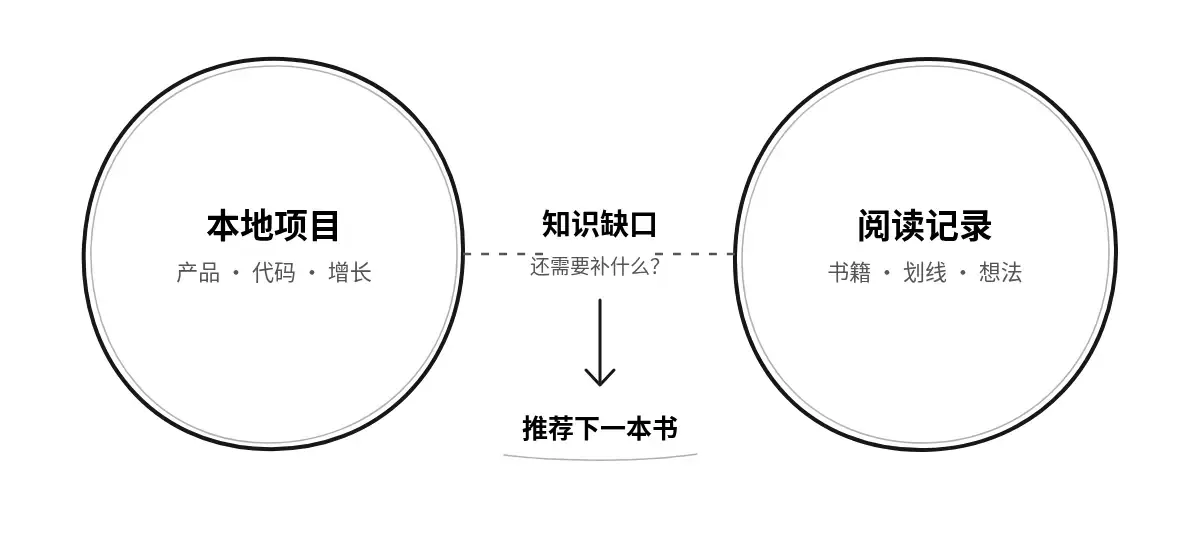
Last month, I was studying product pricing. After reading the project materials and reading records, AI recommended “Pricing to Win” because I had read some books on product and growth, but none of them discussed pricing directly. I read from August 11th to the 23rd, leaving 61 highlights.
There are a few sentences in the book that are very inspiring to me: first, when you are not sure how much to price, you would rather choose a higher price within a reasonable range; second, pricing too low itself will be regarded as a quality signal, and customers may suspect that the product is not good. Finally, problems that can be solved by lowering prices are not big problems. So naturally, I adjusted the price of the product decisively.
When recommending books, I will ask the AI to explain which knowledge gap each book fills, and what judgments it can help me make after reading it. I have more than 500 unfinished books on my bookshelf, and adding another “should read later” title isn’t going to help much.
It might also recommend books I’ve already read. The “unread” mark of WeRead is not reliable. A book that is 88% read will still show that it is not finished. Therefore, I will ask the AI to check the actual reading progress first, and then determine which content needs to be supplemented.
💬
Recommend next book
First read my local xxx project folder to understand the current products, code and growth work, and determine the problems that I need to solve most currently. Then check my WeRead records to distinguish between books that have been read and books that are just on the bookshelf. Please check the actual reading progress. Reading more than 80% can be regarded as reading.
Analyze what knowledge I lack regarding the current problem. Recommend 1 book that is suitable for reading now and 2 alternatives, explain what each book adds, and what judgments it can help me make after reading it. Books already on the bookshelf are given priority.
Finally
The opening of WeRead Skill was something I didn’t expect at all. Developers have a data entry to build reading products, and readers can also let Agent read and use their own bookshelves, lines, and ideas.
Among domestic products, it is rare to be willing to open data to this extent. Thank you for reading on WeChat.
For the latter two uses, I will continue to think about how to put them into Booko. Booko can now randomly review a set of old highlights. In the future, it may also be able to organize clues between different highlights and books, or recommend the next book based on the issues the user is concerned about.
Now, Booko has been updated to 2.0.2, supports random review, daily message push, and can also be used on Mac, iPad and iPhone. If you have accumulated a lot of reading notes but rarely look back, you can try Download on the App Store.