I finally got OpenClaw working on Telegram two days ago.
The first task is to let it read my local blog-to-epub Skill, merge and convert 34 articles on pmarchive.com into ePub, and directly throw them into the local folder to facilitate importing into WeRead for batch reading.
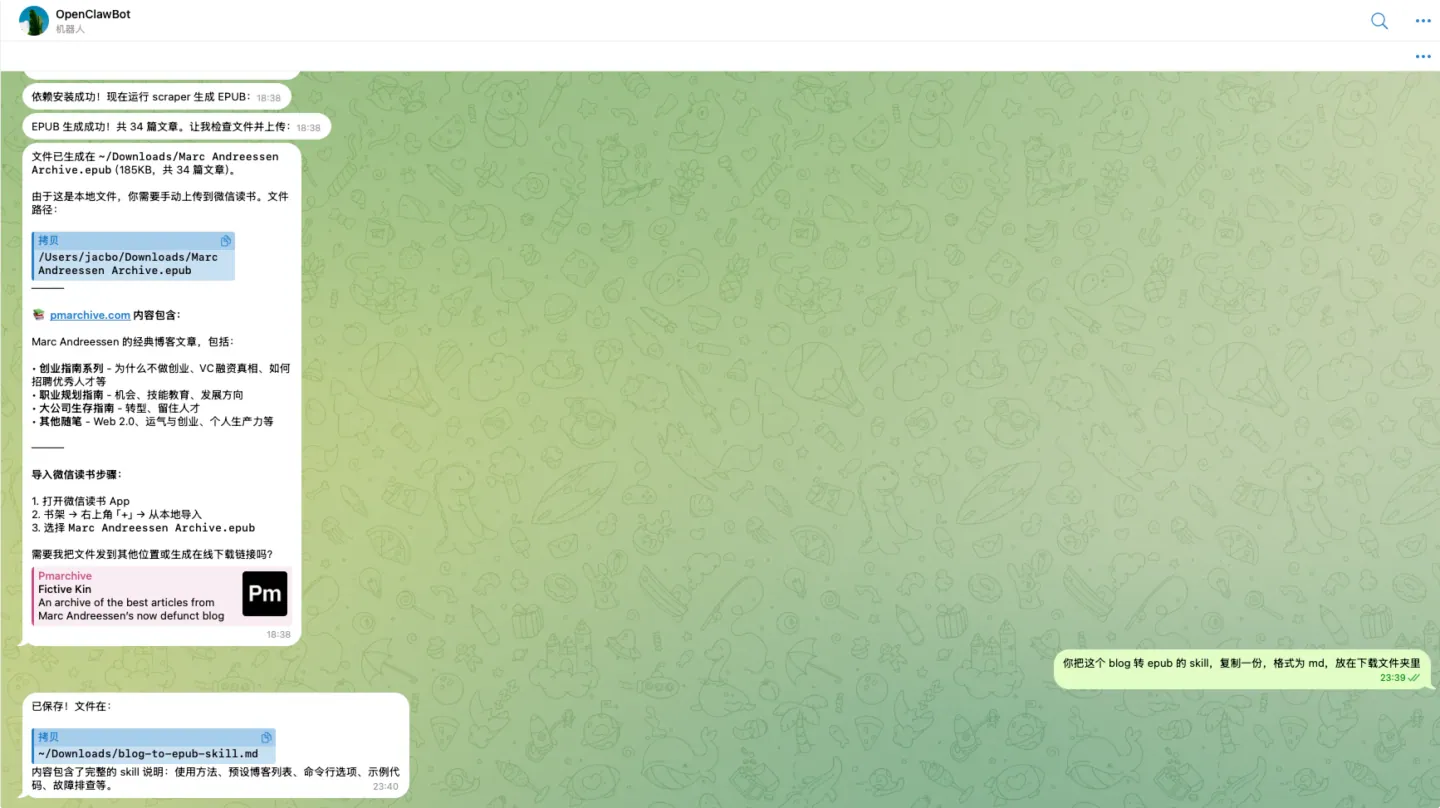
The whole process gave me a deeper understanding of the relationship between Skill and Agent.
Installing OpenClaw: Patience is more important than skill
This is my 4th time trying to install OpenClaw.
I tried it three times before the Lunar New Year and got stuck on the gateway configuration every time. This time I was determined to get it done, and it took me nearly 2 hours to finally get through it under the guidance of AI.
The problems encountered during the process were not only the gateway, but also Telegram’s proxy port, DM permissions, etc., not to mention the Kimi API that had been configured locally before. For non-technical people, OpenClaw, like Claude Code, has too high a starting barrier.
But if you haven’t started using it yet, I still recommend that you spend an afternoon playing with it. There are two reasons:
-
**As long as you have patience, you can always get it done. ** By actively talking to AI and investigating step by step, problems can be solved.
-
**This is a trend. ** In the future, more and more products will learn from OpenClaw and provide IM Bot. For example, Manus also added Telegram support before the Lunar New Year. It’s good to get familiar with it early.
Just before installation, two things need to be solved: network and API of large language model.
Everyone knows about network issues but doesn’t elaborate on them.
API I recommend Kimi. After completing the real-name authentication on Kimi’s API open platform, there is a free quota of ¥15, and the price of Kimi K2.5 is much cheaper than Claude Code.
I saw on X that Basecamp’s DHH has adopted Kimi K2.5 as a primary model.
It is said that MiniMax 2.5 is also very effective and cost-effective.
Understanding Skill: Both Prompt and App
To use Agent, you need to match Skill, and it took me some time to understand Skill. Now my understanding is:
**Skill is Prompt, and Skill is App. **
Skill is a Prompt because it is essentially an instruction written to the Agent - telling the Agent what to do and how to do it.
Skill is also an App, because when Skill and Agent are combined, a specific problem can be solved. For example, the example I mentioned at the beginning: let OpenClaw use the blog-to-epub Skill to crawl blogs, merge them into ePubs, and import them into WeRead for batch reading - this is the problem that an App needs to solve. Now, many things that can be solved by apps can be solved with the combination of Skill + Agent.
Based on the understanding of “Skill = Prompt” and “Skill = App”, many personal needs can be broken down into two steps:
-
**First describe the problem and create Skil. ** Tell the Agent clearly about your problems and needs, and let the Agent create a Skill based on the needs.
-
**Execute Skill again. ** Let the Agent use this Skill directly to solve the problem.
The advantage of this process is that you don’t need to collect “which Skill is good and which Skill is strong” in advance.
Which skill is best depends on your current needs.
There is also an interesting usage: actively communicate with AI and brainstorm which repetitive tasks could be turned into Skills.
Many times, we become so accustomed to the things we do repeatedly every day that we don’t realize that they can actually be automated. And AI can help you break out of inertia, identify these opportunities, and then directly turn them into Skills to solve problems.