💬 Deep Dive
In February, I tried to make two videos. The difference from usual is that this time the editing tool switched from editing to Final Cut Pro. This isn’t the first time I’ve wanted to move away from editing, but it’s the first time I’ve used Final Cut Pro to create a complete finished film.
This switch made me realize that there are several conditions that need to be met to quickly get started with a new tool. These conditions apply not only to Final Cut Pro, but also to other tools such as Notion and Tick List.
1. Get to know the interface
When you get a nonfiction book, the first thing you should look at is the table of contents. The table of contents is the framework of a book. It tells you the structure of the book, the distribution of content, and the problems it ultimately helps you solve.
When getting started with a new tool, you should first understand its framework and then learn the specific functions in depth, otherwise it is easy to get lost in the tool.
The interface of a tool is the framework of the tool. Taking Final Cut Pro as an example, its interface, or framework, is mainly divided into four parts:
- Resource Library: Manage all media materials needed for editing
- Viewer: View editing effects in real time
- Inspector: used to adjust video color, position, effects and other parameters
- Timeline: place clips, decide video order, etc.
After understanding this framework interface and mastering the three commonly used elements - “generator”, “effect” and “transition”, you can use Final Cut Pro to create videos.
The troublesome thing about tools such as PS, PR, and Final Cut Pro is that the icons on the interface are not straightforward enough. Half a year ago, I felt that Final Cut Pro was not as useful as editing, largely because I didn’t recognize its icon.
The interface of Cutting is very friendly to novices. Chinese characters are marked below the icon, while Final Cut Pro only displays the icon. Similarly, the function description of Cutting is also more direct than that of Final Cut Pro.
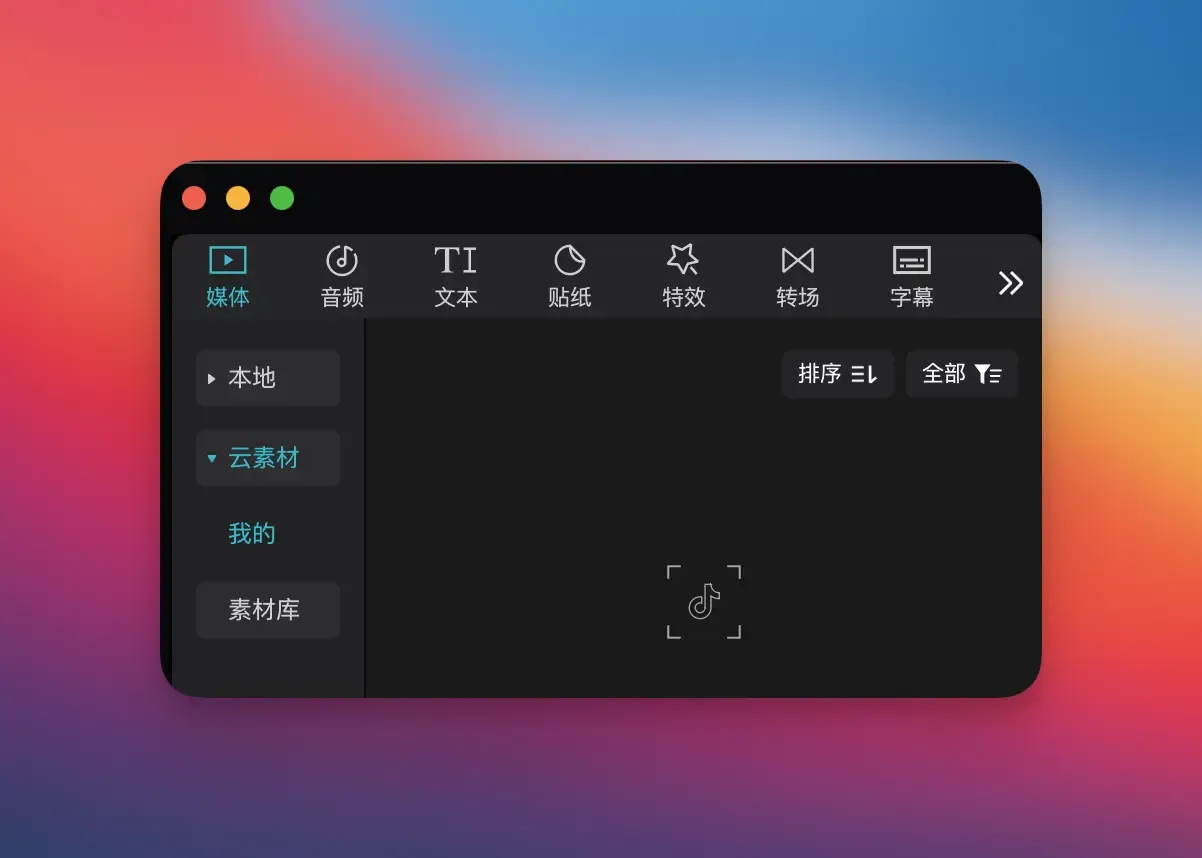
This difference in interface design and function description makes the learning threshold of Final Cut Pro higher, but you must understand the interface before you can get started.
2. Understand concepts and principles
Understanding concepts and principles is more important than memorizing techniques.
In editing, “mask” and “key frame” are concepts that appear frequently. Understanding their literal meaning alone may seem abstract.
- “Mask” is used to block or reveal part of the screen
- “Keyframes” are used to record changes at a specific point in time and control movement, scaling, transparency, etc.
If you understand their concepts and principles, you can flexibly combine more presentation effects, such as using “mask” + “keyframe” to create dynamic masks.
Similarly, if you understand that everything in Notion is a Block, whether it is a Page or a Database, they are essentially different forms of Block. They are also containers that carry Blocks, and Blocks can be converted to each other, associated and reused, then you can understand some of the operation logic in Notion, such as:
- Each row in the Database is a Page and can be edited independently;
- Database itself is also a Block, so it can be nested in other Pages;
- Associations can be established between different Blocks to connect different information to each other, such as associating the “Task” Database in the “Project” Database.
The advantage of understanding concepts and principles is that you know what they are and why they are so, and you no longer need to rely on fixed tutorials and templates.
3. Plenty of time
Learning the tool interface and principles requires enough time to explore, otherwise it will be easy to fall back into the comfort zone.
Last summer, I toyed with the idea of switching from editing to Final Cut Pro and trying to edit video with it. But that time I was making a video for a company, and there were clear deadlines and delivery requirements. When I encountered interface understanding problems, I didn’t have enough time to explore. I needed to be responsible for the output first, rather than letting the output give way to the exploration of the tool, so I quickly returned to the embrace of editing.
This time is different. I am making a video for myself. I can freely arrange the progress, so I was able to switch successfully. I am willing to spend more than ten hours editing a relatively satisfactory video.
Therefore, only with sufficient time and independent rhythm can you master a new tool faster.
4. Learn by doing
The best way to quickly get started with a tool is not to read the tutorial from beginning to end, but to be problem-oriented, get started directly, and learn by doing. If you encounter problems during use, solve them one by one, and you will have better learning results. The first video I edited with Final Cut Pro took more than ten hours because I kept encountering detail problems during the process:
- Command**+Mouse Wheel** I cannot zoom in or out of the timeline in Final Cut Pro, what should I do?
- There is no function to directly adjust the rounded corners of video borders in Final Cut Pro. How to solve this problem?
- How does Final Cut Pro implement AI keying in cuts? -…
These problems, if you just watch the tutorial, you probably won’t have them, but once you start editing, they become apparent. By checking information, asking AI, and reading manuals, when a problem arises, it is solved and the solution can be reused the next time a similar situation occurs.
In contrast, the effect of simply watching tutorials is relatively limited.
5. Device support
Having the right equipment can make using the tool smoother. If you want to learn to edit, make pictures, and write code, these all have certain requirements for device performance.
In the past, when I used an old computer to edit videos, I always encountered problems such as lag and slow rendering, which caused me to have to wait repeatedly for color correction and special effects, which also made me lose my desire to learn.
After switching to a new computer, editing is no longer laggy, and parameters can be previewed in real time, which eliminates many obstacles and makes the video production experience smoother and more motivating to use and learn. Therefore, it is worthwhile to purchase suitable productivity equipment to improve productivity.
Final
However, whether it is learning tools or mastering skills, every attempt is accumulating skills for the next progress and breakthrough. Looking back on my editing, it is divided into 5 stages and spans 5 years:
- 2020.06, use your mobile phone to edit, and know that videos, sounds, pictures, and text will all occupy a track. The order of the videos, pictures, and text in the track is the order of the layers.
- 2022.08, use computer to edit, select specific areas in the clip to operate, and export specific clips in batches
- In 2023.08, I made less than 10 videos as an amateur. I used icon+screen recording+animation, paired with rhythmic music, to make digital videos.
- 2024.08, use the method explored in 2023 to make videos for the company’s products and use key frames to make animations
- 2025.02, broke away from editing, switched to Final Cut Pro, and used all the skills accumulated before
This process is very slow because there is no major problem or need to drive it. Therefore, to quickly get started with a tool, it is important to let the problem or demand drive you, and then understand the principles behind the high-frequency concept, and quickly accumulate it in practice with the help of productivity equipment.
💎 Curated Gems
1. Tacit knowledge
Knowledge that can be expressed in language is explicit knowledge, and knowledge that cannot be expressed in language is tacit knowledge. Due to the existence of tacit knowledge, the boundaries of the world are greater than the boundaries of language.
Intuition, as a kind of pattern recognition; taste, as a kind of judgment and perception, are both manifestations of tacit knowledge. Tacit knowledge comes from personal experience and cannot be explained in words, but can only be taught by example. It profoundly affects individual decision-making and judgment, so practice leads to true knowledge.
Reference reading: Complete talk about my views on “tacit knowledge”; 23 thoughts on “taste”
2. Is the collection useless?
Why should collections be discussed separately? Because every time I see articles discussing collection tools and collection behaviors, I always hear a lot of voices saying “collection is useless.”
We habitually add negative labels such as “hoarding” and “information hamster syndrome” to collections, but we also ignore an important point: these words describe people, not tools.
When you instinctively blame the tool and habitually complain and leave, you are actually just rationalizing the setbacks you have encountered and excusing yourself to gain psychological comfort. Our fear of collecting essentially comes from the inaction after collecting, not the collecting itself.
Reference reading: Living comfortably with information: My minimalist information management practice
3. RECH principle of content
Liu Fei’s new book “Content is Brand” summarizes a RECH principle for achieving good content: Good content = Resonance × Efficiency × Comfortable × Helpful.
“Resonance” and “useful” are common content standards. The former tends to provide emotional value, and the latter tends to provide practical value.
“Efficiency” and “comfort” are relatively rarely discussed. I think both point to the same issue: whether to respect content consumers.
“Efficiency” means respecting users’ time, content should be expressed clearly, and high-value information should be provided within a limited time.
“Comfortable” means respecting the user’s experience, whether it is layout, tone, or information level, to reduce reading resistance and make people willing to stay.
My point of view is still: content and products are all reflections of the author’s own aesthetics, taste, and personality. If the result of content is a brand, then the temperament of the brand is the temperament of the creator.
Reference reading: “Content is Brand”
🧵 One More Thing
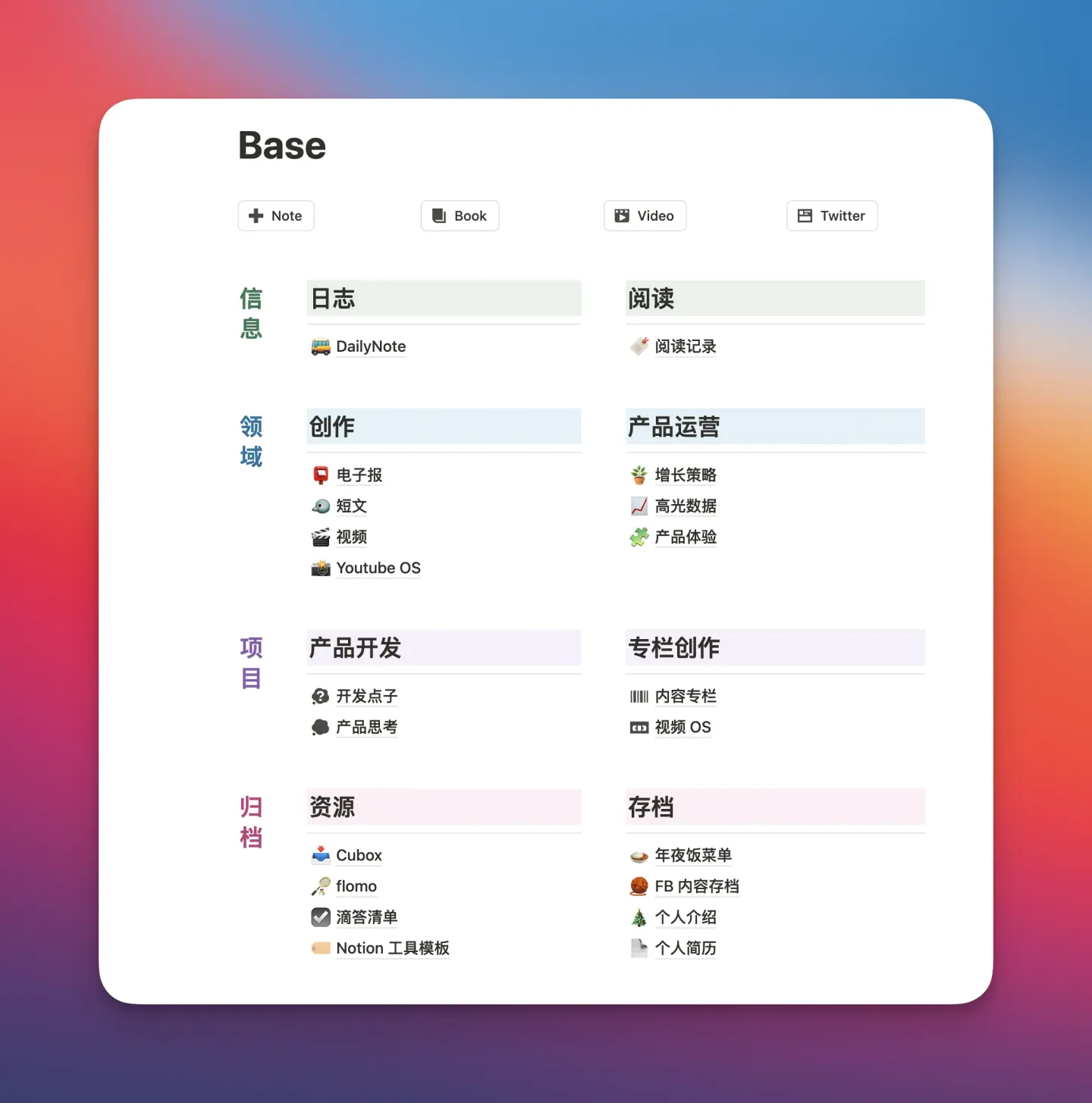
Renovated my Notion homepage and it was very simple. I do not follow the P·A·R·A set of note management methods in Notion, because what I use most in Notion is writing diaries and writing, and these two do not require complicated management.
But in flomo I use P·A·R·A because I have hundreds of inspiring pieces of content clipped from outside and need to be organized well.
Now, my positioning of these two tools has become: flomo is my external knowledge base, and Notion is my personal creative library. When I have satisfactory ideas and opinions in Notion’s log, I will also cut and hide them in flomo, because flomo can be reviewed every day, so that I can play the value of my own ideas and opinions.
All methods and theories must be adapted to one’s own conditions.