The Apple Watch may seem like a beauty waste to some people, but to me, it’s quite practical.
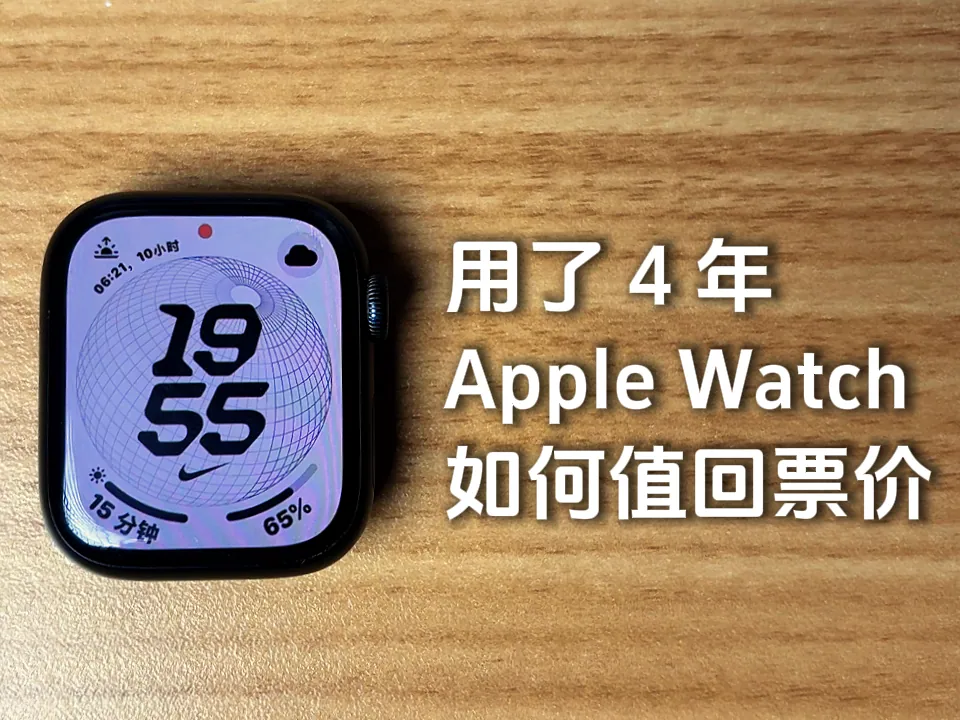
I have had my Apple Watch (Series 7) for 4 years and have no drawbacks except that it needs to be charged twice a day.
It has greatly facilitated my life and made me care more about my health.
In this article, I start from the two aspects of convenience in life and health and safety to share the most practical or favorite functions in my daily life.
By the way, the video has been posted on Little Red Book, Bilibili and YouTube. If you don’t want to read the manuscript, you can go directly to the video.
Everyday Convenience
1. Checking the Weather
After the long summer high temperature, the weather in Hangzhou has become cloudy and cloudy, and it is the same every autumn, winter and spring.
So I developed a habit of raising my wrist to check the weather before going out, mainly looking at two things: rainfall probability and temperature.
After reading it, decide what to wear and whether to bring an umbrella.
After clicking to enter the weather module of Apple Watch, by sliding and clicking, you can see not only rainfall and temperature, but also air quality, humidity and other data, which is quite comprehensive.
2. Tapping In on the Subway
This year, the Apple Watch wallet finally supports adding Hangzhou’s transportation card, and I immediately bound and recharged it.
Now when you go out and take the subway, you don’t have to turn on your phone to scan the QR code, and it’s smooth.
Especially when I passed through Hangzhou East Railway Station the past few times, I felt a strong sense of happiness. While everyone else was crowding around, waiting to open the QR code, I used my Apple Watch to open the gate with just one click.
Pay with the Hangzhou Transportation Card on Apple Watch and enjoy the same discounts as the “Hangzhou Citizen Card” App.
3. Finding My Phone
Sometimes, my phone will be left in the bed, bathroom, or other corners where I can’t find it. I will open the control center of Apple Watch, click the “Find Phone” button, and the phone will ring immediately.
Of course, if you don’t have an Apple Watch, you can also use your MacBook to summon Siri to help find your phone.
4. Message Notifications and Replies
In the past four years of using Apple Watch, I have never set my phone to “ring” status again, and my Apple Watch has also remained silent all year round.
For all messages, Apple Watch will vibrate as a reminder.
And after turning on the sleep mode, the alarm clock will also vibrate every morning to remind you, so that it will not wake up your family loudly or make yourself uncomfortable in the morning.
Apple Watch is not only useful for receiving messages, it can also type and reply to messages when the phone is inconvenient to use, and it can also reply by voice.
5. Setting Reminders with Siri
Like iPhone and MacBook, Siri on Apple Watch can also set alarms and reminders.
I often say to my watch: Hey Siri, set an alarm to remind me xxx.
Health and Safety
1. Tracking Sleep
Apple Watch, like other sports watches, can monitor health data such as heart rate, blood oxygen, and maximum oxygen uptake.
What I care about most is the monitoring of sleep data. The first thing I do when I wake up every day is to look at last night’s sleep duration and sleep score (new features in iOS 26 and watchOS 26).
I also focus on deep sleep duration, I aim for over 1 hour and 20 minutes. But in fact, I still haven’t quite figured out what factors can lengthen the duration of deep sleep.
In the past six months, my deep sleep duration has improved somewhat, often reaching between 1 hour and 20 minutes to 1 hour and 40 minutes. It used to hover around 50 minutes.
2. Time in Daylight
Proper exposure to the sun helps synthesize vitamin D, improve immunity and calcium absorption, so I also pay attention to the data of sun exposure time now.
My goal is to get at least 30 minutes of sunshine every day, but it’s often rainy in Hangzhou. Anyway, on days when there’s sunshine, I’ll commute by bike and go out to get some sunshine.
I am still using the Grow app to estimate vitamin D synthesis, but I feel that the synthesis estimates from these apps are just for reference and will not be very accurate. Because it affects the synthesis of vitamin D, it is not only related to the duration of sun exposure, but also related to the intensity of ultraviolet rays and the area of skin exposure.
3. Fall detection and SOS
I always turn on the fall detection function. Several times I accidentally fell from the bed or chair to the ground, and Apple Watch issued a warning asking me if I had fallen and if I was okay.
Apple Watch can save lives at critical moments. I have also configured my personal medical card and SOS emergency contact information.
If you have an Apple Watch, be sure to configure these pieces of information.
4. Automatic Workout Detection
Sometimes when walking or riding a bike, I forget to start recording. After Apple Watch recognizes it, it will remind me whether I am exercising, and then use gestures to confirm, and then it can be recorded.
Although the recognition may not be accurate enough, it is still convenient, and at least some data can be recorded.
5. Stand Reminders
Sitting for long periods of time may be the most harmful factor to the health of office workers, more terrible than smoking.
So I always turn on the sedentary reminder on my Apple Watch, a small clock that will remind me to stand up and move around if I have been sitting for the past 50 minutes.
Following those reminders helps me move more during the day.
So is the Apple Watch just an attractive but useless accessory? I don’t think so. If the budget allows, the Apple Watch is a device worth buying. It can accompany you for four to five years, or even longer.
There are two other reasons that will make me insist on buying an Apple Watch:
-
Compared with sports watches from other mobile phone manufacturers, the data monitoring of Apple Watch will be more accurate;
-
Seamlessly integrates with the Apple ecosystem.