In December last year, I used Cursor to start making an iOS app to review the highlighted book excerpts that were buried in WeRead and never opened again after crossing them.
Five months later, it was officially launched on the App Store and named “Booko”.
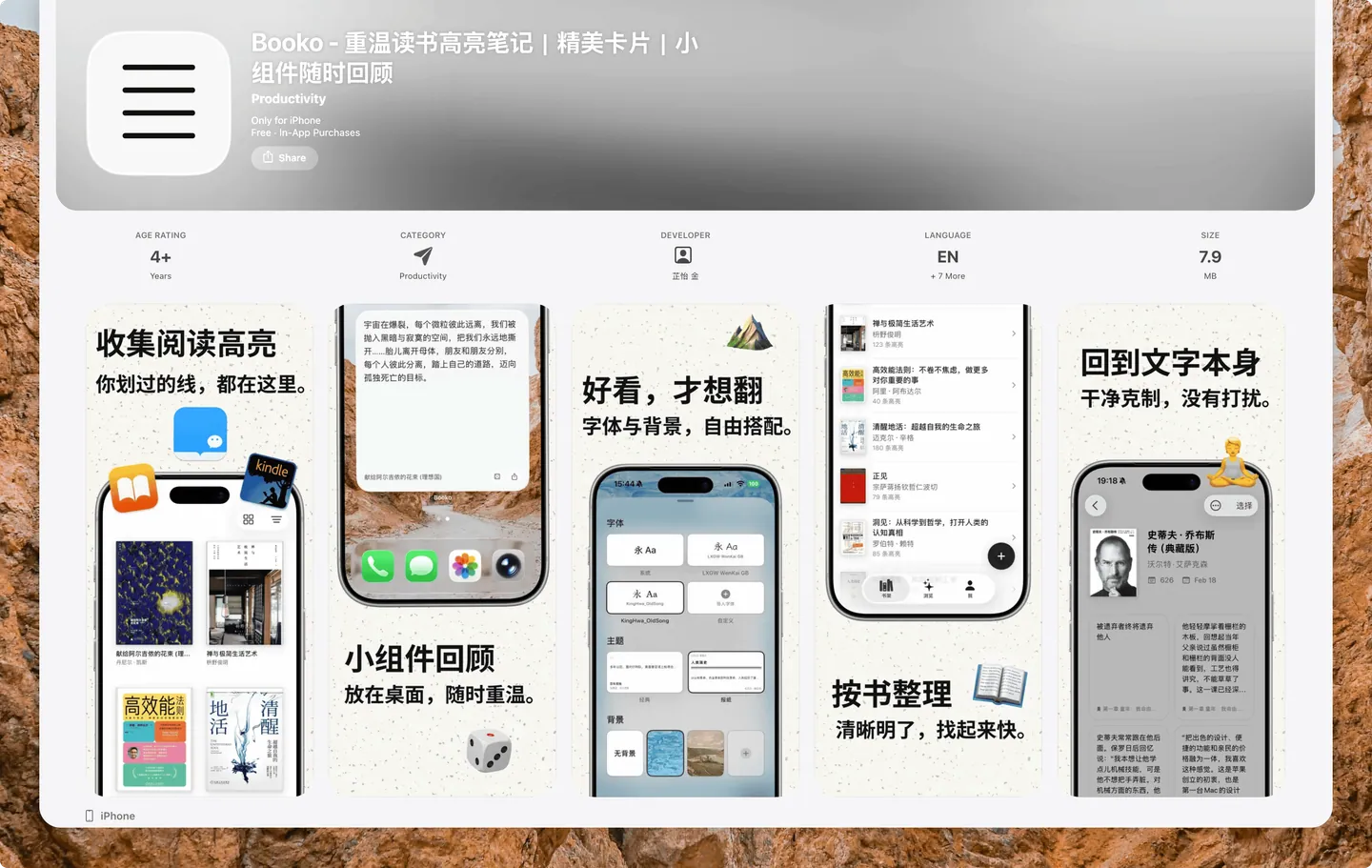
From drawing product prototypes, building Xcode projects, to configuring GitHub, setting design specifications, and finally registering domain names, filing and listing, every step along the way is my first time.
These first times are worth writing down as a reference for all those who want to use AI to write apps.
More importantly, when the ability to write code has become no longer scarce, how can we prevent the things we make from becoming soulless “AI Slop” (AI-generated garbage).
AI has evolved so fast in the past two years. Every half a year, the threshold for AI Coding drops significantly. This not only means that large model capabilities are becoming stronger, but also includes improvements in the design and ease of use of products such as Codex, Claude Code, and Cursor, which make writing code increasingly easier.
Even WeRead, which has always been closed, has opened its own skills.
I am a beneficiary of these changes. It is precisely because of them that I was able to create an app with a reasonably beautiful design and complete functions in the past six months.
1. Origin
The first time I wanted to develop an app like Booko was in 2023. At that time, I was thinking why WeRead couldn’t make highlighted passages into a small component that can be reviewed at any time like flomo.
The lines you draw while reading should not be buried in WeRead, Apple Books or Kindle. The highlighted notes, like your own thoughts, should be reopened, appreciated, and reviewed.
But at that time, AI was still in the question and answer stage, Cursor and Windsurf had not yet appeared in my field of vision, and I did not have the confidence or time to learn Swift and SwiftUI from scratch to write apps by hand.
In 2024, I saw developer Randy at
The UI is exactly what I care about the most. I have been paying attention to two beautifully designed apps, Craft and Mystery, and hope that I can make a unique product. This wish is like a seed, buried in my heart.
Until 2025, Agent and AI Coding will advance by leaps and bounds. I keep seeing news about Claude Code and Sonnet: they are no longer auxiliary tools that can only write a few lines of code, but like real engineers, they can understand the entire project, check the documentation themselves, fix bugs, and even directly build a complete App architecture.
Seeing this level of coding ability, I felt like the time had come.
It’s just that at the end of 2025, the threshold for using Claude Code is still very high for me: I need to learn terminal operations and buy the API of the transfer station. So in December, I started drawing prototypes using Cursor, which has a lower threshold.
2. Forming
1. Technology selection
The first version of the prototype drawn with Cursor was HTML, which can be viewed in a browser, but to make it a real iOS App, Xcode cannot be bypassed. When you first get started, you must first understand 2 things:
-
How to build a project. When writing an iOS App, you cannot just create an empty folder. You must first build the project in Xcode, generate the directory and
.xcodeprojfile, configure the Bundle Identifier and Team, and then use Cursor to open it and write code. -
How AI modifies files. Code files are like Markdown notes, stored in Finder folders. AI operates on files in folders. If you compare Cursor to Obsidian, code files are like notes. As long as you have used the Obsidian application, you will quickly understand how Cursor and Codex modify code in these local folders.
After understanding this, the more important decision is: which programming language to use? Do you want to build an account system? Can I connect to the backend?
Speaking of front-end and back-end, I have only been able to distinguish them in the past two years:
-
The front end is the part that users can see and directly operate, such as the web page in the browser and the interface of the mobile app. It is responsible for displaying content, responding to clicks, inputs and other operations, and sending requests to the backend.
-
The backend is the system that supports the operation of the product and is usually invisible to users. It generally includes servers, databases, authentication and business logic: the server is responsible for running code, the database is responsible for saving data, authentication is responsible for determining user identity and permissions, and business logic is responsible for processing specific rules, such as logging in, saving content, creating orders, determining permissions, etc.
Considering that I am the only one developing Booko, I will not make it for Android in the short term. So I decided from the beginning: not to build an account system, not to connect to the backend, to write a native iOS App, directly using Swift and SwiftUI, and to store all data locally, plus iCloud synchronization.
Although I don’t do backend work, I don’t dare to let AI write code casually, for fear of stepping into the trap. So during the New Year’s Day holiday, I spent more than 400 to purchase Pure Want’s independent development course - VibeCoding Forced Love Plan (If you are also planning to purchase this course, you can use my invitation code: 98SK3G to get a 10% discount, and I will also earn a distribution commission)
This course has a total of 6 lessons. At the beginning, I only quickly brushed through 3 lessons and recorded 3 key points: GitHub, MVVM architecture and design specifications.
The first thing I solved was the issue of GitHub code management. In the past, I was afraid of changing the code, so I only dared to keep copying new folders locally. Later, after building a private warehouse on GitHub and letting AI help guide the connection to the local code folder, every change submitted to GitHub is recorded and can be rolled back at any time, eliminating the need for manual backup.
Because I am the only one developing, my code is pushed directly to the Main branch. Only when trying various UI effects in the early stage, I used a new branch to do experiments. Changes in the branch have no impact on the main body of the code.
It doesn’t matter if you don’t know much about Git and GitHub. As long as you configure permissions for Codex and Claude Code, they can automatically help you submit code and cut branches. You can learn about them while using them.
GitHub is configured, and it is clear that Swift and SwiftUI will be used to make native apps, and the MVVM architecture is used as the foundation. The technical solution is determined.
2. Interface layout
After the technical plan is decided, the next step is to make the interface layout.
The interface layout is derived from the product’s positioning. The core of Booko is an exquisite note card that can present highlights beautifully and correspond to each book. There also needs to be a place to manage settings. So the three tabs “Bookshelf”, “Browse” and “Me” appeared.
The most critical action is “import”. I put it global, resident on Tab. Just like X and the instant posting portal, it’s always available.
There is also a transition needed between the bookshelf and browsing: the book details page. Click on a book on the bookshelf to enter the book note list; click on a note again to jump to the browse page to review it.
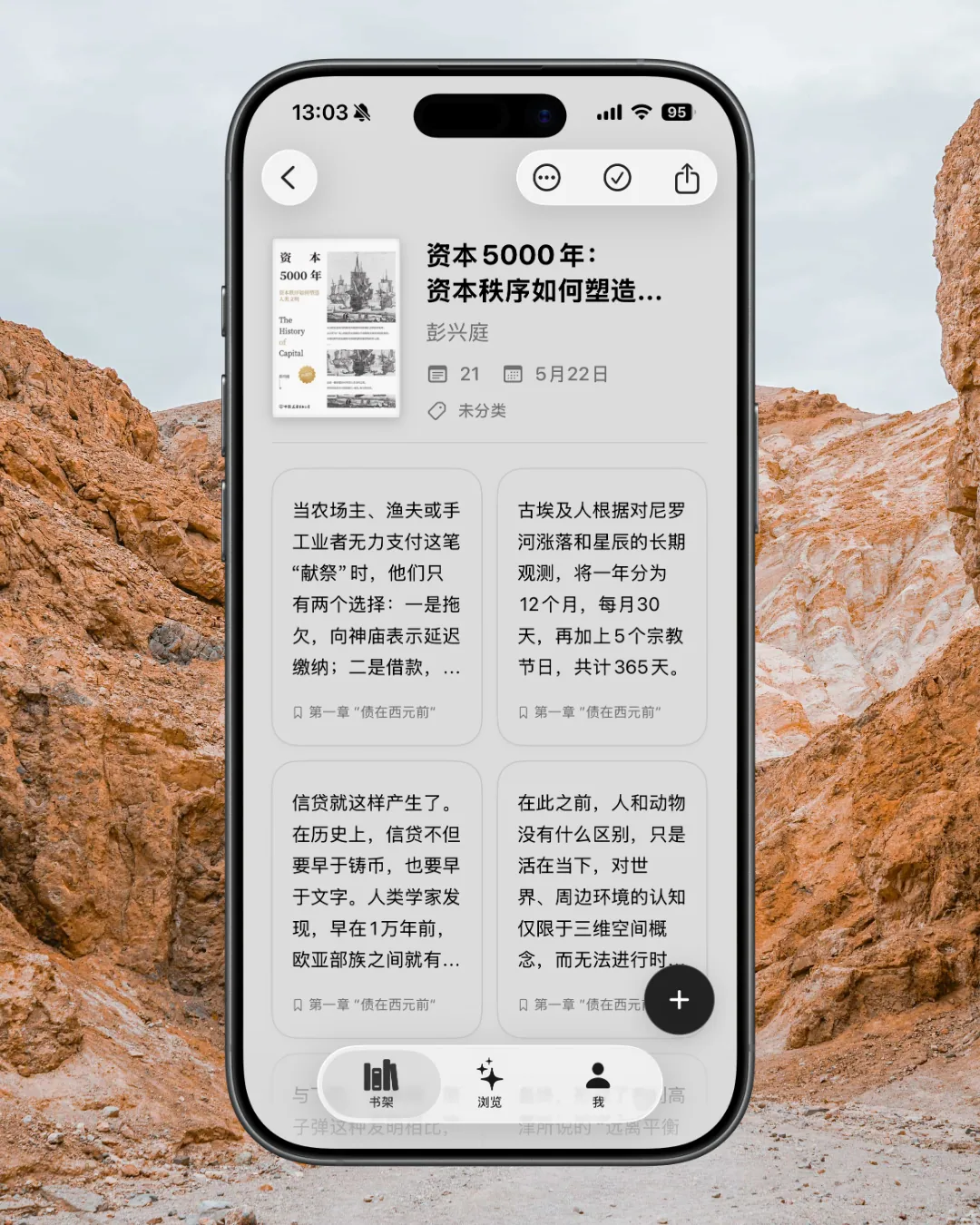
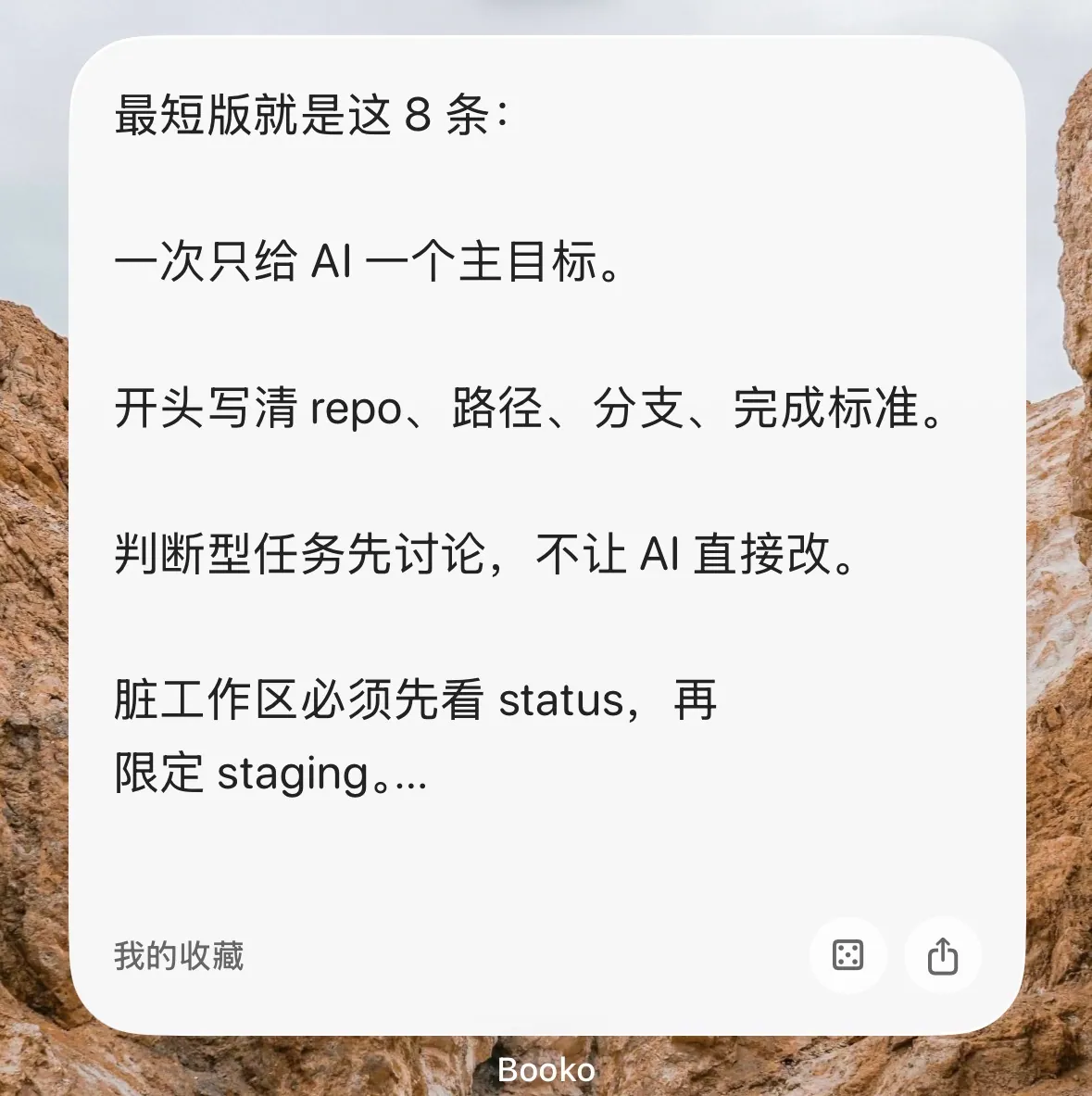
Like flomo, these notes should also be presented in widgets. So I added widgets and learned from Cubox, which supports random jumps directly on widgets and sharing of exported pictures.
3. UI design
It’s not difficult to set up the interface framework. What’s really grueling is the UI design.
At first, I didn’t want to use a book cover, I wanted to use a more novel design like a folder or card box. But firstly, they are difficult to draw, and secondly, their connection with “book” is too weak.
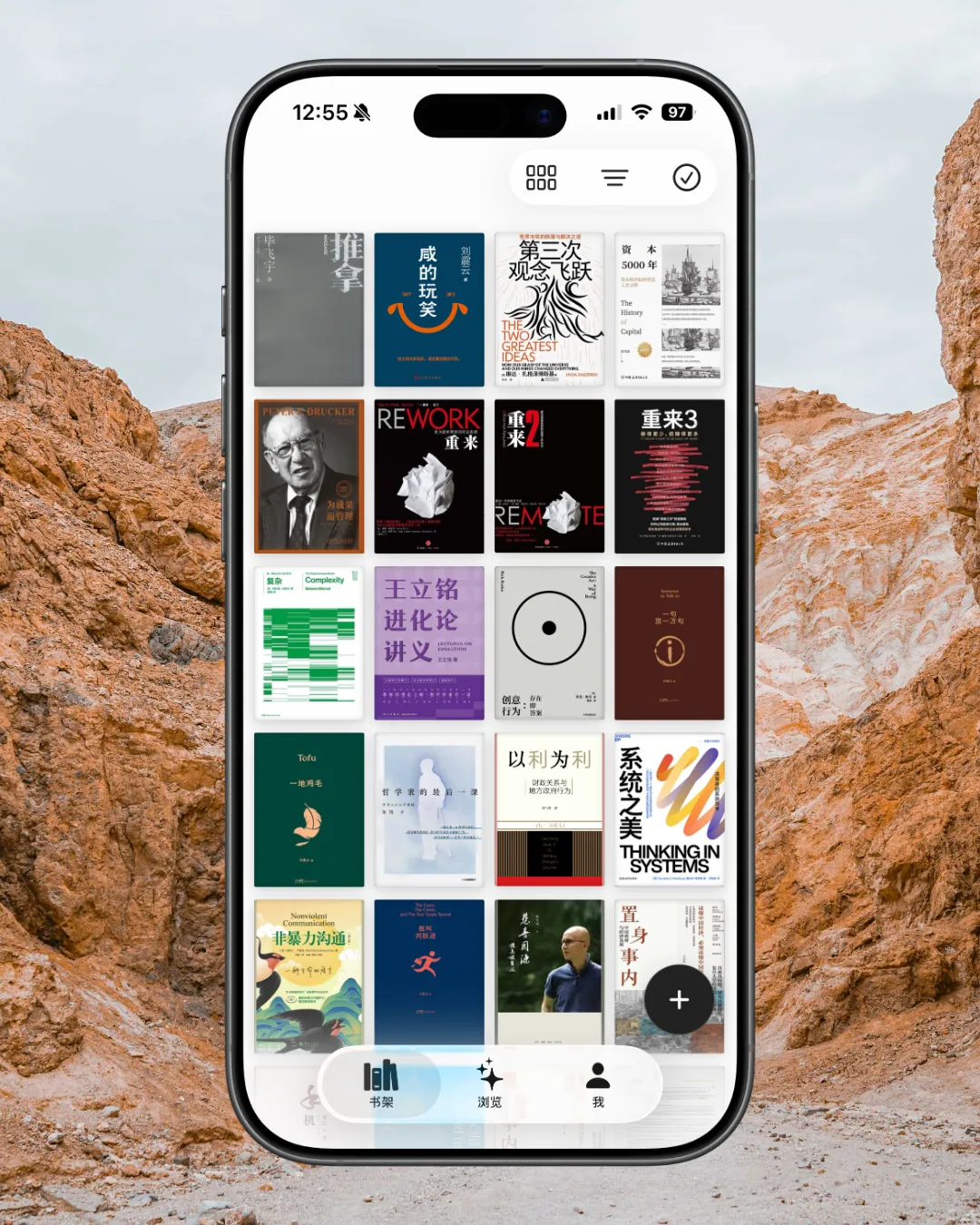
After a long detour, I returned to the cover. I tried three-dimensional covers and covers with spines, and finally found that simplicity leads to greatness. The most original flat cover, with a little rounded corners, shadows and strokes is good enough.
The browsing page has also been reconstructed several times: jagged stamps, quasi-objects, contrasting colors… But either you will get tired of it after looking at it for a long time, or the large colors conflict seriously with the navigation bar. Finally, I learned Craft, which supports uploading background images and switching fonts, and provides two styles by default. It is like a skin, it is expandable and can be added slowly in the future.
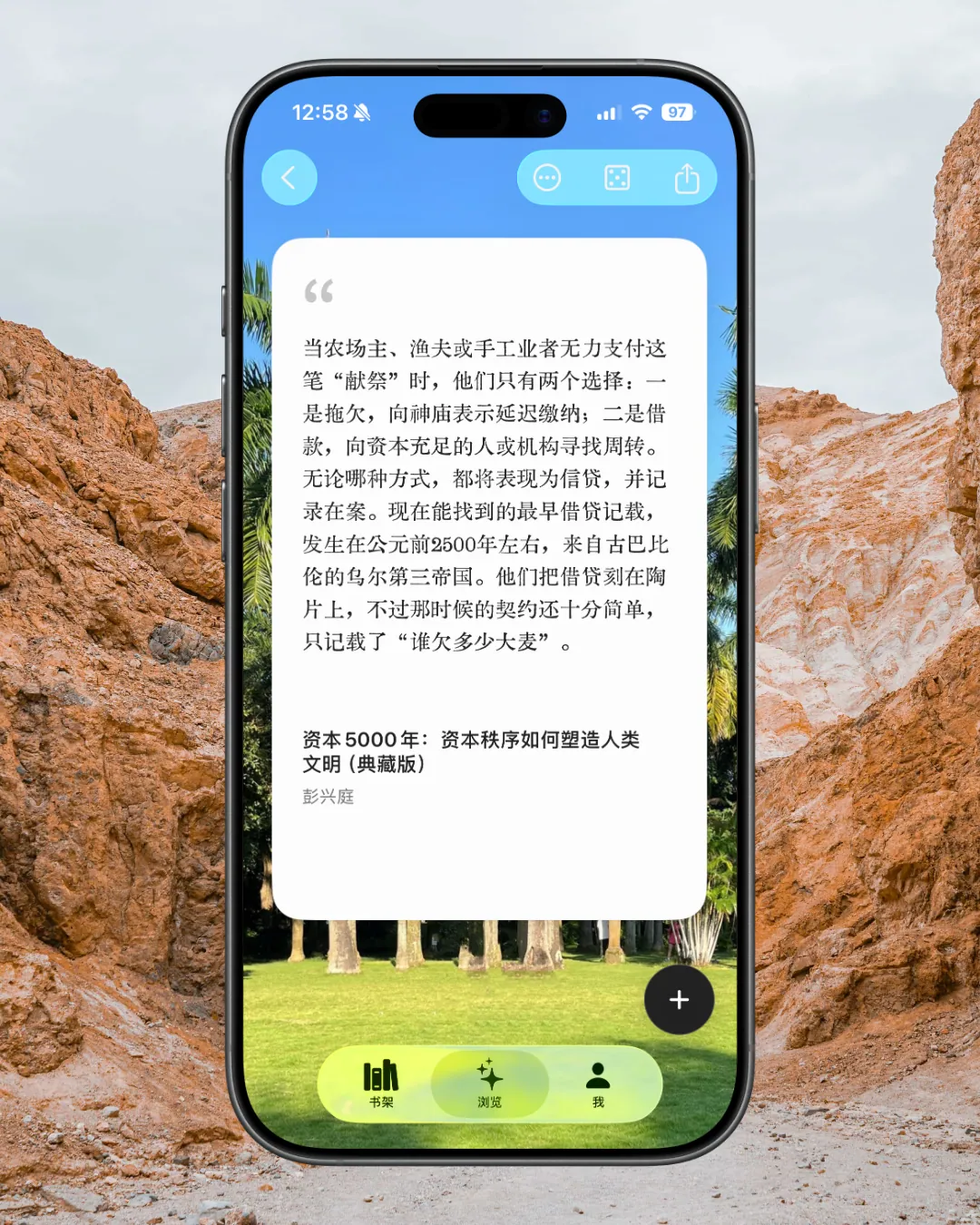
After going around and around, the interface returned to its simplest form, but I also hid some details:
Bookshelf covers will automatically pick colors. If the cover proportions do not match, the blank space will be filled with a similar color;
Click on the book details page, and the entire page will automatically adapt to the main color of the book. This design comes from MD Vinyl, and later Apple Music in iOS 26.4 also did the same thing.
After deciding on the design of these three core pages, adding details such as core colors, strokes and shadows, and organizing them into design specifications, the app will be 80% complete. The remaining 20% is to implement the function well.
When I was working on Booko, I found that if I want the app written by AI to look good and not turn into the crappy blue-purple AI color scheme, the most worry-free way is to keep the color scheme as simple as possible and directly use SwiftUI native components and SF Symbols icons.
I’ve taken a detour. At first, I wanted to create a liquid glass effect and let the AI write the code to draw it, but no matter how I adjusted it, it couldn’t be right. Later I discovered that the glassy feel in Booko does not require you to draw complex effects yourself. You can directly use the system’s SwiftUI Material, add very light strokes, shadows and highlights, and it is close enough to the desired texture.
But how to make AI accurately call native components? The key is to describe it accurately and “speak jargon” to it.
You need to know what a Sheet is, what a Menu is, what a ToolBar is, etc.
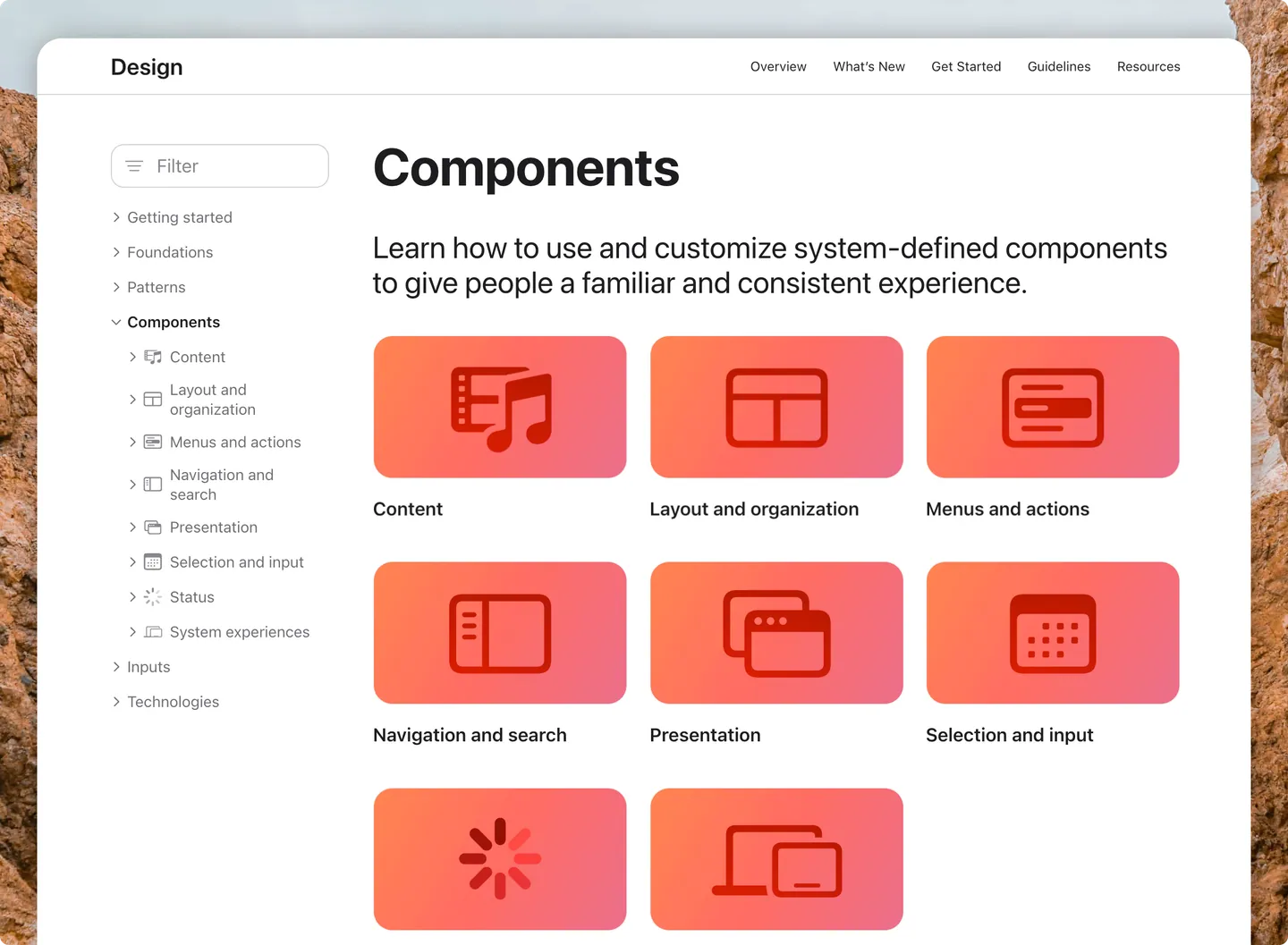
Only by calling the right name can AI understand the needs. These are written in Apple’s Human Interface Guidelines. There are also many posts on Xiaohongshu that share professional terms. If you find them, you can save them for later use.
4. Stagnation
By February, Booko’s UI prototype was basically finalized. But from the Spring Festival to early March, when I tested it myself, I always felt that it was full of bugs. For example, if I want the bottom Tab and top back buttons to switch with the theme color, I can’t write it correctly.
Technical stuck, coupled with self-doubt: Does this thing have commercial space? Will the audience be too narrow? I stopped AI Coding and was stagnant for more than a month.
In March, I read Chen Qigang’s “Hermit Mountains and Rivers”, read “The Source”, and talked with Claude about my thinking habits. I slowly realized: I always reserved my appreciation for external products, but judged my own things harshly. And every time you unlock an achievement, you immediately rush to the next one.
Realizing this, I set aside my harsh self-censorship. Since the purpose of the first version is just to make the idea come true, then don’t worry about the subsequent commercialization issues. Only by making the idea first can you see the results of subsequent growth.
Therefore, Claude Code was once again allowed to directly refer to the code of mature products, and the problems that most affected the user experience were slowly fixed. (At this stage, I started to use Claude Code’s desktop GUI, and used Opus 4.5 to solve many UI details that could not be solved before.)
At that time, I posted a few screenshots on Xiaohongshu and the official account, which received thousands of views. Many people asked for internal testing. The real user feedback pushed me to move forward.
By the end of March, the product was basically formed and its functions could be used normally. But I’m still cautious and don’t trust data storage and iCloud synchronization, so I don’t dare to start the internal test directly.
3. Put on shelves
1. Optimize data architecture
From the end of March to the beginning of April, I did a lot of tests, constantly letting AI play the role of a senior data architect, assuming there were 100,000 users, optimizing data storage over and over again. At the end of the change, the code architecture was different from the originally set MVVM, but AI told me that this was a more robust architecture.
Then I went to register for an Apple personal developer account. I did my homework on Xiaohongshu in advance:
-
The Apple ID name must be consistent with your real name (pinyin can be used)
-
Do not change devices when registering.
The next day, the account successfully passed the review.
Then there is the build version and invite friends for internal testing. Throughout April, I also asked AI to continue to check the stability of data and iCloud when I had free time, and prepared a map for the App Store.
2. Listing and filing
During the May Day holiday, I started preparing to release it. First let AI check possible problems encountered in the audit, use Notion AI to write the privacy policy and terms of service, and finally push CloudKit from the development environment to the production environment.
On May 8, I officially submitted Booko to Apple for review. To my surprise, it was approved the next day. However, the App Store in China is stuck in review and requires ICP filing.
Before putting it available, I repeatedly confirmed with AI that Booko is a local application, does not have an account system, and does not distribute it, so it should not need to be filed. However, Apple’s review is one-size-fits-all, and products without registration will not be allowed to be released directly.
I went to Xiaohongshu to read experience posts, and it would take several days to appeal for exemption. In order to get it done once and for all, I decided to apply for registration directly.
I went to Alibaba Cloud to buy a domain name and a small server for less than 150 yuan.
There was a detour when filling in the registration information: I saw that I needed to bind a domain name, so I thought I had to register it for the official website first before I could register it for the app. There happened to be a problem with the website registration system during those few days, and it was stuck for two or three days. After contacting customer service, I found out that the domain name filled in for App registration does not need to be accessible, just submit it directly.
Here’s a little experience: Whether submitting to the App Store or ICP filing, I asked AI to help me write a note to prevent card review. It is important to emphasize that Booko has no account system, runs purely locally, and has no content distribution. Data is only synchronized through iCloud and cannot be obtained by developers.
This trick seems to be working, and the App Store and ICP registrations were successfully passed in one go.
3. An unexpected surprise
Although Booko was successfully launched on the national App Store after receiving ICP registration, I was not in a hurry to promote it.
Because whether you are reading from WeChat or from Apple Books, the book covers are missing and need to be manually uploaded by the user.
For me, the product is not complete and the experience is fragmented.
The original plan was to connect to an external API to capture the cover. Unexpectedly, in May, WeRead suddenly opened its official Skill. I immediately used it to make a web version of Booko Board. Users can pull out books and draw lines by entering the key, and the experience is very smooth.
The following week, I spent a few hours connecting the WeRead Skill to Booko. In this way, the problem of manual cover transfer was finally solved, and the first complete form of Booko was finally born.
4. Growth
I haven’t done serious growth for Booko yet. Currently, only 4 Xiaohongshu articles have been posted, which have been synchronized to the official account.
Firstly, my spare time is limited, and secondly, I don’t want to make do with posting rough content.
So I’m currently studying how to quickly make good-looking demonstration videos for Booko. In order to make shell demos, I tried several tools I had collected before, and finally found that Screen Studio was the best.
Let’s briefly compare these tools:
-
Screen Studio: recording and editing are strong. The disadvantage is that you have to use a data cable to connect your iPhone to your Mac to record the screen, and then cover it for editing.
-
Bezel: Like Screen Studio, you need to connect the data cable to record, there is no need to use it separately.
-
Rotato: It can be shelled and can produce 3D rotation effects, but it cannot be divided and edited, and the positioning is different.
-
Matte: The only one that can directly import screen recordings from mobile phones and package them, with optional patterns for the background. Although it is said to be doing 3D effects, the current split editing functions and shortcut keys are not as complete as Screen Studio.
To sum it up in one sentence: If you want to edit while recording, choose Screen Studio; if you want to be lazy and import the recorded screen directly, choose Matte; if you want to create 3D effects, choose Rotato.
On the road to growth, there is still much to try. I will share it again when I get the phased results.
5. Write at the end
During the 5 months of working on Booko, I have two thoughts.
First, from the perspective of data sources, products are basically divided into two models:
-
“Presentation” of data: access external data and present it again. Such as Grow, Self-Discipline Stone, and MD Vinyl.
-
“Native” data: Allow users to record and generate new data themselves. Such as flomo, Notion.
These two types of products are not mutually exclusive and often overlap. The core of Booko is the “presentation” of data, but it is also supplementing the “native” functions of data, such as creating a book for yourself and entering your own ideas.
The second is self-awareness. Independent development takes time and effort, and you need to have enough love to persist. The apps that I like and will continue to make in the future fall into these two categories:
-
Reading: Present information that inspires you.
-
Body: Shows the physical and mental state and the impact of the external environment on oneself.
Before I made Booko, I thought that as long as it could be put on the App Store, it would be fine. After I finished it, I felt nothing at all. The next focus will shift from product to growth, hoping to get more people to use Booko.
By the way, by mid-June 2026, if I only recommend one AI coding tool, I would recommend Codex. First, the product iteration is fast and the model capability is strong; second, there is no account ban in China, so you can use it worry-free.